Start free

Siena AI pricing explained

By , founder of Rinhelp · Facts checked

The short answer

Siena AI bills in two parts: a $750 platform fee every month, then $0.90 for each ticket its AI automates, and it doesn’t charge per seat. A team of 5 whose AI automates 1,000 tickets pays $1,650 a month or more, and the exact figure comes back from Siena after you fill in a form. Rinhelp costs that same team $49 a month, with 5,000 AI replies included.

See Rinhelp on your own site. Enter your website and Rin builds your help desk from it: a chat widget, a help center and an inbox.

Free. No sign-up to look. Ready in a minute or two.

Is your help center somewhere else?

Rin will read . If your help articles or docs live at another address, like help. or a Notion page, Rin can read those too.

Where is your help center?

Rin reads it along with and turns it into your help center.

Siena AI pricing at a glance

Cheapest plan with AI
Platform fee plus $0.90 per automated ticket
How it bills
Platform fee plus each automated ticket
Free plan
No, any trial is set in your quote
AI answers cost
$0.90 per automated ticket, after a $750 monthly platform fee

Siena AI plans

Platform fee

Billed yearly
No yearly price listed
Billed monthly
$750 a month for the platform
  • Siena’s core AI engine
  • Unlimited sandbox

Watch out for

  • The $750 is due every month however few tickets the AI handles, so it is most of the bill for a brand with a small queue.
  • Miss a payment and Siena may suspend or end your access at once, without notice first.
  • When the contract ends you have 7 days to ask for your data back. Siena then transfers it within 90 days, as far as is technically feasible.

Automation pack

Billed yearly
No yearly price listed
Billed monthly
$0.90 per automated ticket
  • Automate tickets at $0.90 each

Watch out for

  • Tickets past the volume you contracted for are invoiced afterwards as overage, at the rate in your Order Form, and carrying on after Siena warns you counts as agreeing to pay.
  • Automation you paid for but didn’t use expires when the subscription term ends. A multi-year agreement rolls it into the next year, subject to its Order Form.

Support & Implementation

Billed yearly
No price listed
Billed monthly
No price listed
  • Expert onboarding
  • Dedicated Slack support
Siena AI pricing page, 11 November 2026
Siena AI’s pricing page, taken

What a team of 3, 5 or 10 pays

List prices in US dollars a month, on the cheapest plan that covers each team, counting each AI reply as one resolved conversation.

TeamMonthly billHow it adds up
3 people, 300 AI replies$1,020 or more$750 platform fee plus 300 automated tickets at $0.90. Siena confirms the price after a form, and a help desk it sits on, such as Zendesk, bills its own seats.
5 people, 1,000 AI replies$1,650 or moreThe $750 platform fee and 1,000 automated tickets at $0.90, before any help desk seats.
10 people, 3,000 AI replies$3,450 or more3,000 automated tickets at $0.90 on top of the $750 platform fee, with the help desk billed separately.

Costs beyond the headline price

  • Each automated ticket adds $0.90 to the monthly platform fee, so 300 of them take a month to $1,020 and 3,000 take it to $3,450.
  • Overage past your pre-purchased volume is billed in arrears, and Siena notifies you as you near or pass it.
  • Bank or transaction fees for paying an invoice fall on you, in whatever currency the invoice names.
  • Siena runs on top of a help desk such as Zendesk, Kustomer or Gorgias, yet says its own help desk is included, so ask whether you can drop the one you pay for today.
  • Onboarding and dedicated Slack support show no price on the pricing page, though Siena says implementation support is included, so check how your Order Form lists them.
  • Adding teammates leaves the bill alone: Siena says it charges for outcomes and intelligence, never per person.
  • Siena Docs, its internal wiki and branded help center, comes with the plan at no extra cost.
  • Fees are not refundable, so a term you stop using early stays paid.

When Siena AI is worth paying for

Siena AI pays for itself at a consumer brand whose queue is full of returns, exchanges and subscription changes, where an AI that handles those workflows frees the team from firefighting tickets. It fits a team that wants experts to build the automations, wants one vendor for support, social and review replies, and may change help desks later without losing its training. A store automating a few hundred tickets a month overpays most, since the platform fee is most of what it spends.

Siena AI vs Rinhelp

TeamSiena AIRinhelp
3 people, 300 AI replies$1,020 or more$49: Pro for the whole workspace, using 300 of its 5,000 AI replies; Free covers your team if you don’t need AI replies.
5 people, 1,000 AI replies$1,650 or more$49: Pro for the whole workspace, using 1,000 of its 5,000 AI replies.
10 people, 3,000 AI replies$3,450 or more$49: Pro for the whole workspace, using 3,000 of its 5,000 AI replies.

Siena AI pricing questions

Why doesn’t Siena AI show plans to choose between?

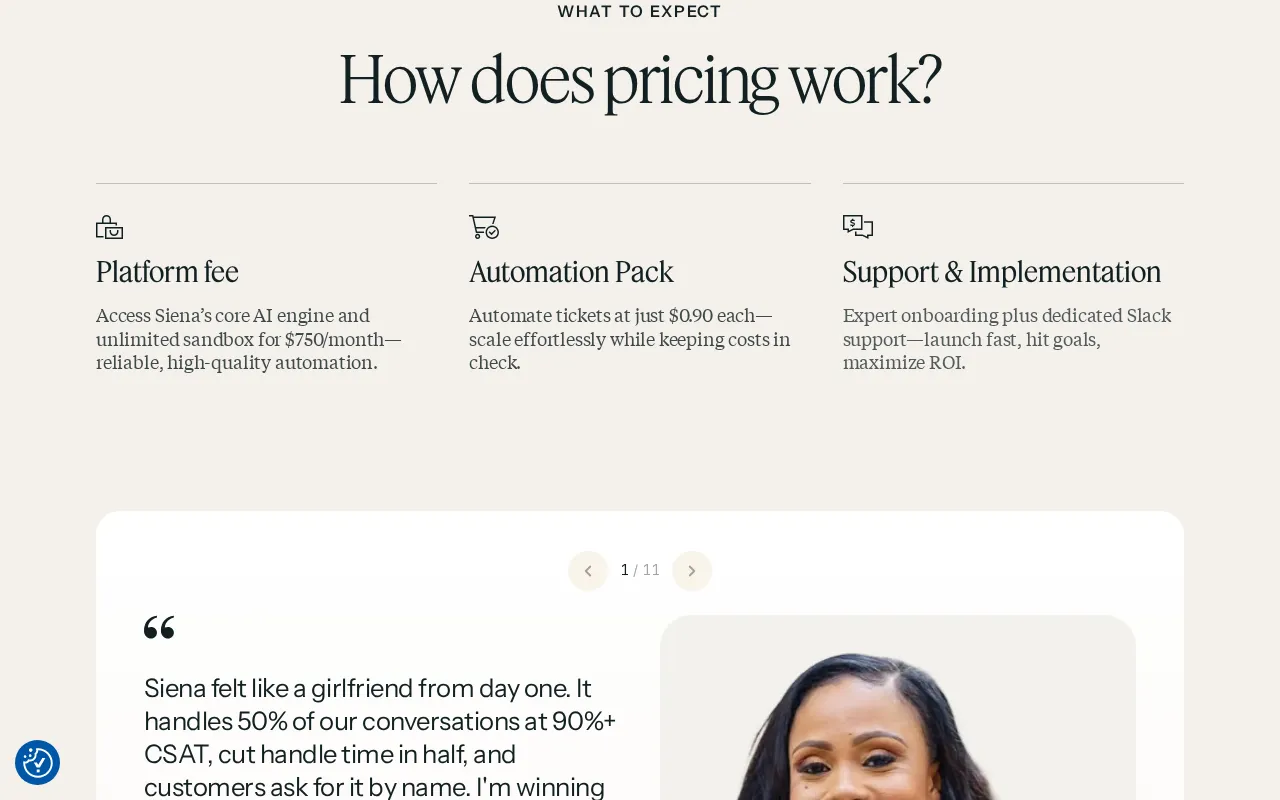
Its pricing page lists three parts instead of tiers: the Platform fee, the Automation pack and Support & Implementation. You give your name, work email, brand website and main goal, and Siena replies with pricing that fits.

Can I pay Siena AI yearly instead of monthly?

The site only quotes monthly figures. The term length and payment days are set in your Order Form, and a multi-year agreement carries unused automated features over into the following year.

Does Siena AI offer a free trial?

It may. Siena’s terms say any trial, its length and the move to paying are written into your Order Form. The pricing page offers a form to request pricing, not a signup.

Can I get a refund from Siena AI?

Generally no: the terms say fees are not refundable. They describe one case that brings money back: if a claim says the service infringes someone’s rights and no fix is commercially reasonable, Siena may end it and refund the prepaid, unused fees.

Can Siena AI raise my price during a contract?

Not in the middle of a term. Its terms apply new fees only when your subscription renews or during a negotiation both sides agree to, and never to an agreement already running.
Sources

We checked every source below on 11 November 2026.

Try Rinhelp next to Siena AI.

Start free with up to 3 teammates and 50 AI replies. Keep Siena AI running until you’re sure.

Start free