Start free

Intercom vs Olark (2026): pricing, AI and features

By , founder of Rinhelp, which appears in this comparison · Facts checked

The short answer

Intercom suits a support team whose customers write in by chat, email, phone, WhatsApp or SMS, and that wants Fin answering in one inbox beside a help center and ticketing. Olark suits a marketing or sales team whose website chat greets prospects, and that wants an AI agent qualifying them for one flat yearly price, however many chats it takes. For 5 people whose AI handles 1,000 conversations a month, Intercom Essential comes to $1,085 at the $19 new-customer seat billed yearly, and Olark’s Standard AI website agent to $516 billed annually.

See Rinhelp on your own site. Enter your website and Rin builds your help desk from it: a chat widget, a help center and an inbox.

Free. No sign-up to look. Ready in a minute or two.

Is your help center somewhere else?

Rin will read . If your help articles or docs live at another address, like help. or a Notion page, Rin can read those too.

Where is your help center?

Rin reads it along with and turns it into your help center.

Intercom vs Olark at a glance

ToolBest forHow it billsFree plan3 people, 300 AI replies
IntercomSoftware and app companies that want chat, email, phone, WhatsApp and SMS in one inbox, with Fin answering across them.Per seat, plus each Fin outcomeNo, 14-day trial$354
OlarkMarketing and sales teams that want an AI agent answering and qualifying website visitors at a flat price, with no usage caps.Flat AI agent price, plus per seatYes, though only the FAQ lists it: after the 14-day trial without a card, an account can drop to 1 agent and 20 chats a month$458
RinhelpSmall teams that want AI on every conversation at one flat price, and want their own AI agents working in the inbox.One price per workspaceYes: 3 teammates, 50 AI replies to try Rin$49

Key differences

Olark’s AI price stays flat, Fin’s grows with volume

Olark’s Standard AI website agent is $400 a month on an annual bill, $4,800 a year, with unlimited AI conversations and no token limits or overages. Each Fin outcome on Intercom is billed at $0.99, once per conversation, and one is counted when the customer goes quiet after Fin’s answer or a Fin workflow passes the conversation to your team. So a small, quiet queue costs less on Intercom: 3 people with 300 Fin outcomes pay $354 there against $458 on Olark. At 10 people and 3,000 outcomes the gap runs the other way, $3,160 against $661.

Intercom bills every teammate who replies

The Olark AI plan includes one human seat, and each extra seat adds $29 a month. On Intercom each person who answers needs a paid seat: Essential is $29 a month billed yearly or $39 monthly, $19 or $29 for new customers. Advanced, at $85 a seat, adds 20 free Lite seats, and Expert, at $132, adds 50.

Olark is a website chat box, Intercom a full inbox

Olark has sold website live chat since 2009 and now puts its AI agent in front of that chat. Olark lists WhatsApp, SMS and chat ratings for Olark Classic only, and its AI plan lists none of them. Intercom gathers chat, email, phone, WhatsApp, SMS, Slack, Facebook and Instagram into one inbox, with ticketing and a public help center on Essential, and Fin answers on email, live chat and the phone.

Olark qualifies leads, Intercom answers support

Olark’s AI agent learns your live website in about a minute, then answers, captures and qualifies visitors, and its triggers open a chat from pages viewed, time on site, scroll depth, return visits or UTM source. Intercom’s listed tools center on customers you already have: teammates refund or cancel a Shopify order from the inbox sidebar, the Stripe app shows a customer’s subscriptions mid-conversation, and a Fin Procedure can wait for a teammate’s approval if you add that step.

Neither MCP server lets your AI agent answer customers

Olark’s official MCP server lets Claude, ChatGPT or Copilot search transcripts, read reports and edit draft bots, but not send messages, edit chats or put a bot live, and reporting stops at 60 requests an hour per site. Intercom’s server goes a step further, adding internal notes and writing and publishing help center articles, yet it can’t reply, assign or close, and workspaces hosted in Australia can’t use it.

Pricing at three sizes

What each tool costs a month in US dollars, with AI answering, and how each total adds up. Each AI reply counts as one resolved conversation.

Tool3 people, 300 AI replies5 people, 1,000 AI replies10 people, 3,000 AI replies
Intercom$3543 Essential seats at $19, the new-customer price on annual billing (list $29), plus 300 Fin outcomes at $0.99.$1,0855 Essential seats at $19, the new-customer price on annual billing (list $29), plus 1,000 Fin outcomes at $0.99.$3,16010 Essential seats at $19, the new-customer price on annual billing (list $29), plus 3,000 Fin outcomes at $0.99.
Olark$458The Standard AI website agent at $400 a month billed annually, with 1 seat included, plus 2 extra agents at $29. AI conversations are unlimited.$516The Standard AI website agent at $400 a month billed annually, plus 4 extra agents at $29, with unlimited AI conversations.$661The Standard AI website agent at $400 a month billed annually, plus 9 extra agents at $29, with unlimited AI conversations.
Rinhelp$49Pro for the whole workspace, using 300 of its 5,000 AI replies; Free covers your team if you don’t need AI replies.$49Pro for the whole workspace, using 1,000 of its 5,000 AI replies.$49Pro for the whole workspace, using 3,000 of its 5,000 AI replies.

Features compared

A check means the vendor’s own pages say a plan includes it.

ToolEmailLive chatWhatsAppVoiceHelp centerAI that answers customersShopifyStripeFree planSignup without a sales call
Intercom
Olark
Rinhelp

What your AI can do in each tool

Connect Claude, ChatGPT or your own AI agent through the vendor’s official MCP server, and this is what it can do of 11 everyday actions: search and read conversations, reply to a customer, add an internal note, assign, close or reopen, search the help center, write or update an article, publish an article, create a saved reply, look up an order, refund or cancel.

ToolThrough official MCPWhat it can doMoney moves wait for a teammate
Intercom5 of 11Search and read conversations, add an internal note, search the help center, write or update an article, publish an articleNo refunds or cancellations through MCP
Olark1 of 11Search and read conversationsNo refunds or cancellations through MCP
Rinhelp11 of 11Search and read conversations, reply to a customer, add an internal note, assign, close or reopen, search the help center, write or update an article, publish an article, create a saved reply, look up an order, refund or cancelYes, a teammate approves first

More on each MCP server, and connectors from other companies, which don’t count:

  • Intercom: Workspaces with Fin Operator get five more MCP tools, which change Fin’s setup rather than conversations.
  • Olark: Olark’s MCP server reads transcripts and agent reports for the whole site and edits draft bots, but it can’t send messages, edit chats or put a bot live.

Intercom

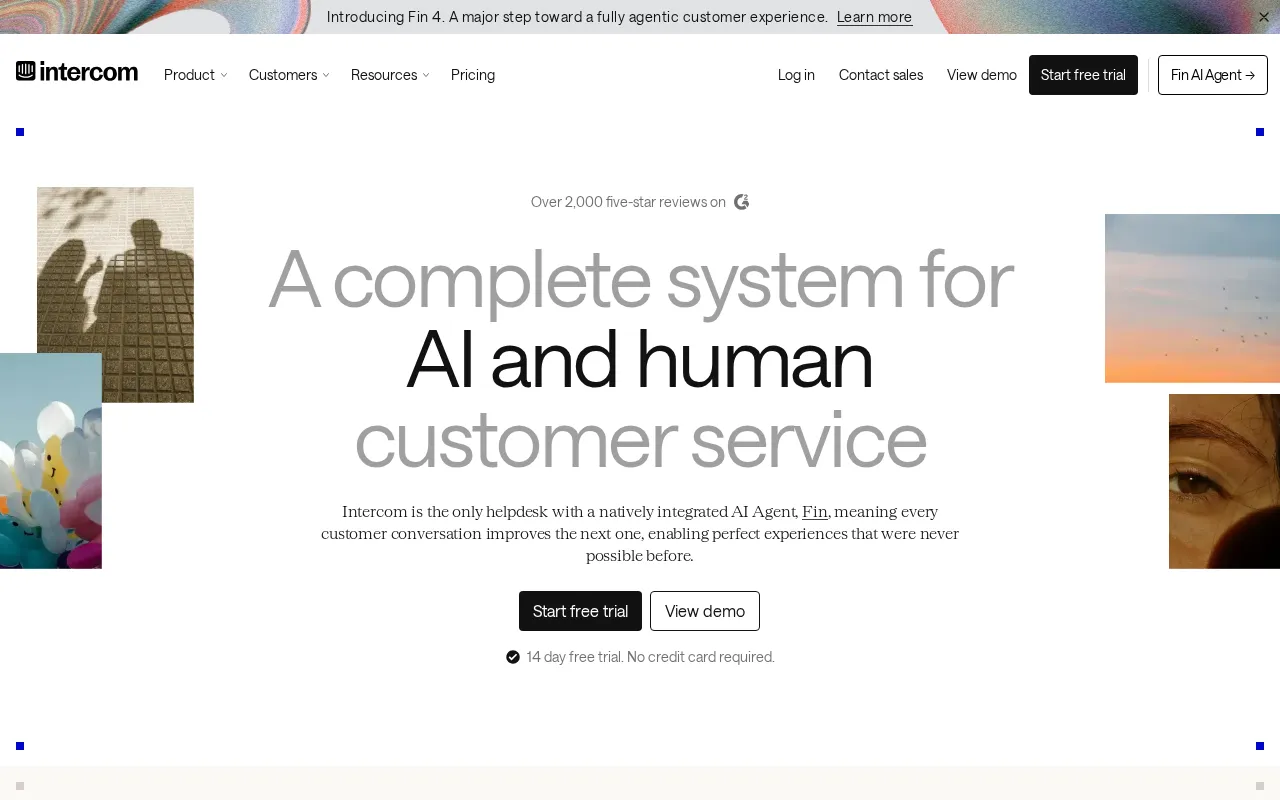
Intercom homepage, November 2026

Intercom is a customer service help desk with a chat Messenger, a shared inbox, a help center and Fin, its AI agent. Its company renamed itself Fin in May 2026, and Salesforce bought it that September.

Best for
Software and app companies that want chat, email, phone, WhatsApp and SMS in one inbox, with Fin answering across them.
How it bills
Per seat: Essential is $29, Advanced $85 and Expert $132 a seat a month on annual billing ($39, $99 and $139 monthly), and new customers pay $19 for Essential on annual billing. Fin costs $0.99 for each outcome, and WhatsApp, SMS and phone are billed by use.
Free plan
No, 14-day trial
3 people, 300 AI replies
$354 a month: 3 Essential seats at $19, the new-customer price on annual billing (list $29), plus 300 Fin outcomes at $0.99.

Pros

  • Chat, email, phone, WhatsApp, SMS, Slack, Facebook and Instagram all arrive in one inbox.
  • Fin answers on email, live chat and phone, and is charged once per conversation however many questions it answers.
  • Agents can refund or cancel a Shopify order from the inbox sidebar, and the Stripe app shows subscriptions mid-conversation.
  • Its official MCP server can add internal notes and write and publish help center articles, not only read.

Cons

  • Every teammate who replies needs a paid seat, and Fin adds $0.99 an outcome on top.
  • An outcome also counts when a customer simply stops asking after Fin’s answer, or when a Fin workflow hands the conversation to your team.
  • Its MCP server can’t reply to customers, assign or close conversations, and doesn’t serve workspaces hosted in Australia.
  • No free plan, and an annual plan cancelled early gets no prorated refund.

Already on Intercom? See the best Intercom alternatives.
Olark

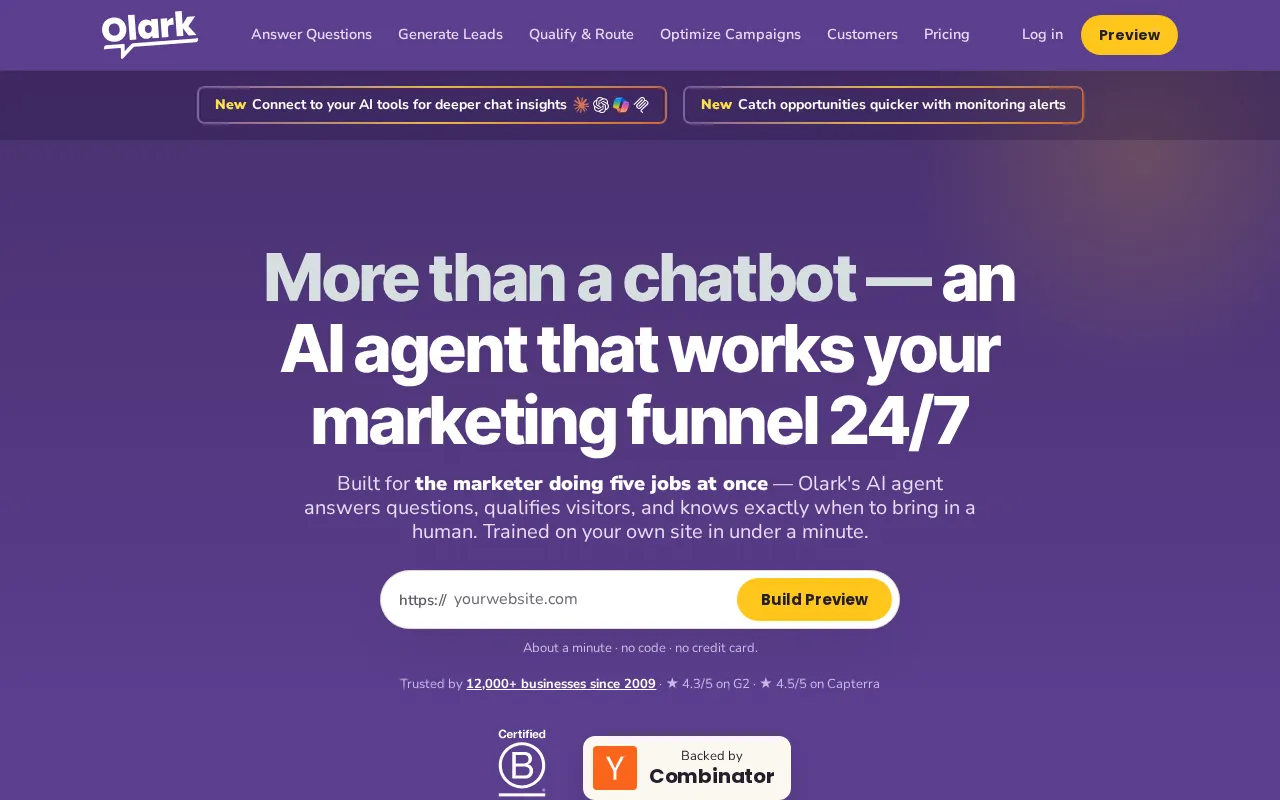
Olark homepage, November 2026

Olark is website live chat software, sold since 2009, that now puts an AI website agent in front of its human chat. The agent trains on your site, answers and qualifies visitors, and hands a chat to a person in the same thread.

Best for
Marketing and sales teams that want an AI agent answering and qualifying website visitors at a flat price, with no usage caps.
How it bills
The Standard AI website agent is $400 a month billed annually ($4,800 a year), with unlimited AI conversations and 1 human seat. Each extra agent is $29 a month. Human-only live chat is $29 an agent a month, $23 on a 1-year contract or $19 on a 2-year one.
Free plan
Yes, though only the FAQ lists it: after the 14-day trial without a card, an account can drop to 1 agent and 20 chats a month
3 people, 300 AI replies
$458 a month: The Standard AI website agent at $400 a month billed annually, with 1 seat included, plus 2 extra agents at $29. AI conversations are unlimited.

Pros

  • AI conversations are unlimited at one flat price, with no token costs, caps or overages.
  • The AI agent learns your live website in about a minute and hands off to a person inside the same chat.
  • Proactive triggers open a chat from pages viewed, time on site, scroll depth, return visits or UTM source.
  • An official MCP server lets Claude, ChatGPT or Copilot search transcripts and edit draft bots.

Cons

  • The AI agent is $400 a month on an annual bill, $4,800 a year, before any extra seats.
  • WhatsApp, SMS and chat ratings are listed for Olark Classic only.
  • Its MCP server only reads chats: it can’t send messages to visitors or edit chats, and reporting is capped at 60 requests an hour per site.
  • No partial refunds when you cancel a 1-year or 2-year plan early, and no native mobile app.

Already on Olark? See the best Olark alternatives.

Pick Intercom if

  • Customers reach you by email, phone, WhatsApp or SMS as well as chat, and you want all of it in one inbox.
  • You run a team of about 3 whose AI settles a few hundred conversations a month, where Intercom costs less than Olark’s yearly AI plan.
  • You want ticketing and a public help center on the cheapest plan, with a multilingual one from Advanced.
  • Teammates refund or cancel Shopify orders from the sidebar and check Stripe subscriptions while they reply.
  • Your security team asks for SSO, HIPAA support and SLAs at a listed price, which Expert has at $132 a seat billed yearly.

Pick Olark if

  • Most chats on your site come from prospects, and an AI should answer, qualify and capture them before sales steps in.
  • Your AI takes thousands of chats a month, and you want one $4,800 yearly AI price that doesn’t rise with chats.
  • You want chats to open by themselves from scroll depth, time on site, return visits or a campaign’s UTM source.
  • You want human-only chat today at $29 a seat with no contract, and to switch the AI on later without reinstalling.
  • You want white glove support and an account manager on the standard AI plan.

When to consider Rinhelp instead

Look at Rinhelp if 2 to 10 people answer support questions over email and website chat, and Olark’s $4,800 yearly commitment or a Fin bill that climbs with every outcome is the sticking point. Pro is $49 a month for the whole workspace with 5,000 AI replies from Rin, our built-in AI, and Free covers up to 3 teammates. Unlike either vendor’s MCP server, Rinhelp’s lets Claude, ChatGPT or your own AI agent reply, assign and close, and a Shopify or Stripe refund or cancellation waits for a teammate to approve it. It is the wrong pick if your chat exists to qualify sales leads, where Olark is built for the job, or if customers phone, text, use WhatsApp or social channels, or you need reports, SLA rules or routing rules, where Intercom covers far more.

Start free

Moving to Rinhelp

From Intercom

Intercom conversations, collections, articles and tags move over, at one API call per conversation. Files are the thing to watch: Intercom’s attachment links expire 30 minutes after you fetch the conversation. See the full move from Intercom.

From Olark

Olark chats come out through its official MCP server, which returns whole transcripts 100 at a time. Searches are capped at 60 an hour for each Olark site, so a long history takes hours rather than minutes, and the dashboard’s CSV export leaves out the messages. See the full move from Olark.

Questions about Intercom vs Olark

Is Olark’s AI really unlimited?

On the Standard AI website agent, yes: Olark lists unlimited AI conversations with no token limits or overages. The catch is the commitment, since the plan has no monthly billing and bills $4,800 a year, and regional routing, multiple teams and SSO wait for a custom quote.

Can I start with Olark’s human chat and add AI later?

Yes. Olark’s Live Chat plan is $29 a seat a month with no contract, or $23 on a 1-year contract and $19 on a 2-year one, paid in full up front, and you add the AI agent any time without reinstalling the chat box. Intercom has no plan without Fin: it comes with Essential, and each outcome adds $0.99 on top of the seats.

Which one handles WhatsApp and SMS?

Intercom, with both arriving in the same inbox as chat and email and billed by use on top of seats. Olark lists WhatsApp and SMS for Olark Classic only, and its AI plan lists neither.

What if we want out before the contract ends?

Neither gives money back for the time left. Olark makes no partial refunds when a 1-year or 2-year plan is cancelled early, and Intercom gives no prorated refund when an annual plan ends early. Olark also has no native mobile app, which is worth checking before you commit for two years.

How we checked

We compared Intercom and Olark using the facts we keep on each, checked against the vendor’s own pages on the date shown beside its sources. Rinhelp is in every table because it is our product and we wrote this page, so check each figure against the vendor’s own page before you decide.

Costs are list prices in US dollars for three team sizes, on the cheapest plan that covers them, counting each AI reply as one resolved conversation. Features count only when the vendor’s own pages say a plan includes them. The AI column counts actions an official MCP server from the vendor can take, out of 11, and leaves third-party connectors out.

Try Rinhelp next to Intercom or Olark.

Start free with up to 3 teammates and 50 AI replies.

Start free