Start free

Kayako pricing explained

By , founder of Rinhelp · Facts checked

The short answer

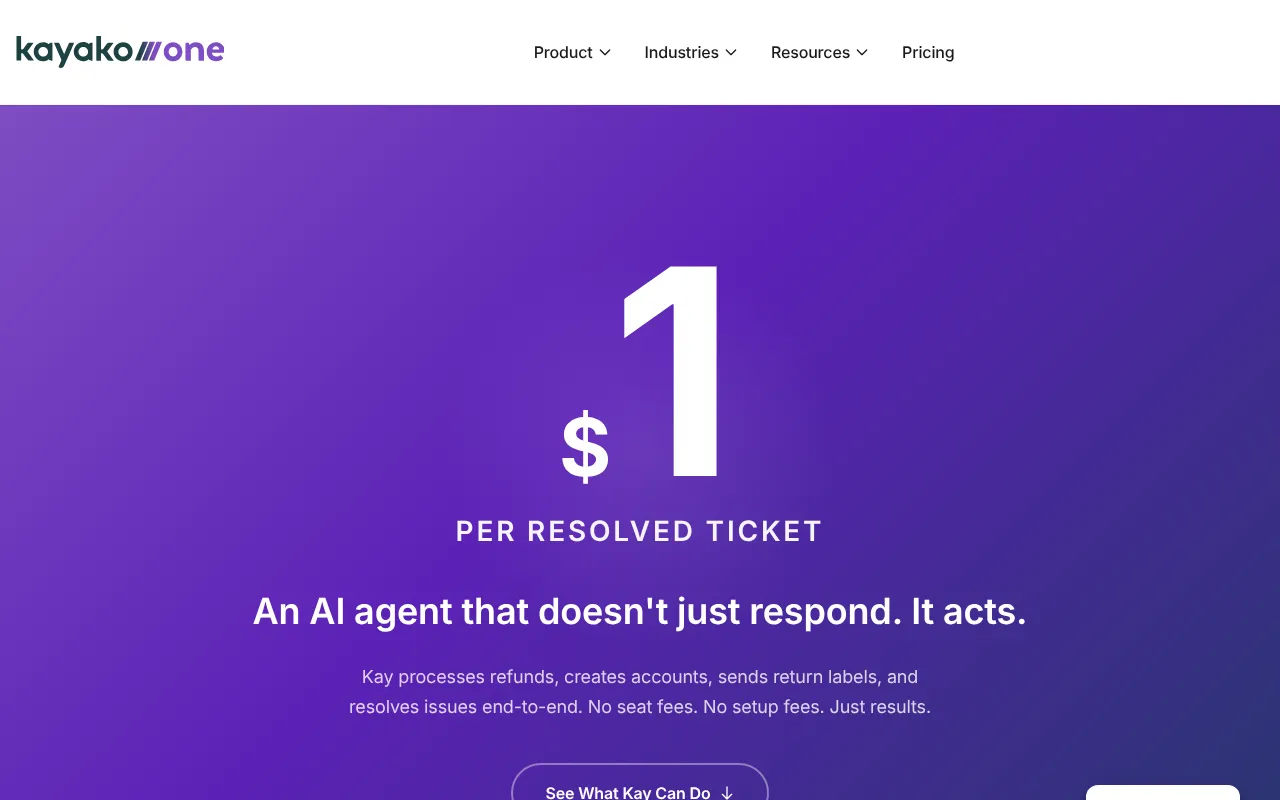
Kayako charges for outcomes rather than people: Kay, its AI agent, costs $1 each time it fully resolves a ticket, with no seat or setup fees, while Kayako One, the help desk Kay runs inside, is priced only by quote. A team of 5 whose AI resolves 1,000 conversations pays $1,000 a month for Kay alone, plus whatever its Kayako One quote comes to. Rinhelp costs that same team $49 a month, with 5,000 AI replies included.

See Rinhelp on your own site. Enter your website and Rin builds your help desk from it: a chat widget, a help center and an inbox.

Free. No sign-up to look. Ready in a minute or two.

Is your help center somewhere else?

Rin will read . If your help articles or docs live at another address, like help. or a Notion page, Rin can read those too.

Where is your help center?

Rin reads it along with and turns it into your help center.

Kayako pricing at a glance

Cheapest plan with AI
Kayako One, price on request
How it bills
Per AI resolution, plus an unpublished platform fee
Free plan
No, and no trial on the pricing page
AI answers cost
$1 per resolved ticket

Kayako plans

Kay

Billed yearly
No yearly price published
Billed monthly
$1 per resolved ticket, with no seat or setup fees
  • An AI agent on chat, email and voice
  • Refunds, new accounts, return labels and order updates
  • Connects to Stripe, Shopify, Zendesk, Salesforce, HubSpot, Twilio, Slack or your own API
  • Runs on the help desk you already use
  • No charge for escalations or partial resolutions

Watch out for

  • The page names no monthly cap, so a busy month bills every ticket Kay closes on its own, however many there are.
  • An answer counts as a resolution once the customer confirms it fixed the problem. Ask how Kayako records that confirmation, since it decides your bill.

Kayako One

Billed yearly
Quote only
Billed monthly
Quote only
  • Unified inbox and ticketing system
  • Knowledge base
  • Live chat widget
  • Automation rules
  • Reporting and analytics
  • Kay AI agent at $1 a resolution
  • White-glove onboarding and setup

Watch out for

  • Kay comes with it, yet each resolution still costs $1 on top of the platform fee.
  • Plan and seat changes go through sales by email, since the admin area no longer lets you switch plans.
  • Kayako’s help center lists Standard, Gold and Platinum support plans for your own questions to Kayako. Standard is capped at 10 support tickets a year and Gold at 40.
Kayako pricing page, 11 November 2026
Kayako’s pricing page, taken

What a team of 3, 5 or 10 pays

List prices in US dollars a month, on the cheapest plan that covers each team, counting each AI reply as one resolved conversation.

TeamMonthly billHow it adds up
3 people, 300 AI replies$300 or more300 Kay resolutions at $1, plus a Kayako One platform fee that isn’t published.
5 people, 1,000 AI replies$1,000 or more1,000 Kay resolutions at $1, plus the unpublished Kayako One fee.
10 people, 3,000 AI replies$3,000 or more3,000 Kay resolutions at $1, plus the unpublished Kayako One fee.

Costs beyond the headline price

  • Kay’s fee has no ceiling: every resolved ticket is another $1, on top of Kayako One.
  • Kayako’s terms for its cloud and AI products bill fees yearly in advance and renew the contract for the same length unless you cancel at least 60 days before it ends.
  • A renewal is priced at Kayako’s rate on that date, and Kayako doesn’t have to warn you of a rise. You can ask marketing@trilogy.com for the renewal price at least 90 days before the term ends.
  • Use beyond what your contract covers is billed at Kayako’s current rates and due at once.
  • Invoices are due 30 days after they are sent, and a billing mistake must be reported within 30 days of the statement it first shows on to earn a credit.
  • A full data dump carries a service fee: Kayako’s sales team sends a quote, and the export starts only after you sign and pay it.
  • The terms say nothing about a refund when you cancel. They mention refunding prepaid, unused fees only when Kayako withdraws a service over an infringement claim, and say a suspended account gets no refund.

When Kayako is worth paying for

Kayako is worth paying for when you want an AI agent that acts, issuing refunds or changing orders through Stripe, Shopify or your own API, and would rather Kayako’s team built it than your own. Paying only for resolved tickets suits a team where Kay closes a modest share of the queue, and running Kay on an existing help desk spares you a migration. A small team that wants a full price before speaking to sales, or whose AI would close thousands of tickets a month, overpays.

Kayako vs Rinhelp

TeamKayakoRinhelp
3 people, 300 AI replies$300 or more$49: Pro for the whole workspace, using 300 of its 5,000 AI replies; Free covers your team if you don’t need AI replies.
5 people, 1,000 AI replies$1,000 or more$49: Pro for the whole workspace, using 1,000 of its 5,000 AI replies.
10 people, 3,000 AI replies$3,000 or more$49: Pro for the whole workspace, using 3,000 of its 5,000 AI replies.

Kayako pricing questions

Should I buy Kay alone or Kayako One?

Kay alone if your team is settled on another help desk and only wants an AI agent on top. Kayako One if you also need the help desk, with its inbox, ticketing, knowledge base and live chat, set up for you by Kayako.

Does Kayako bill monthly or yearly?

Its cloud and AI terms bill fees yearly in advance, while its help center says a card on file is charged monthly or yearly depending on the plan. Your quote decides which, so check it before you sign.

Can I try Kayako before paying?

The pricing page has no trial and no sign-up button, so every route starts with Kayako’s team. Its help center still mentions free trials, so ask sales whether one is offered.

How do I stop a Kayako contract from renewing?

Send your cancellation through trilogy.com/cancellations at least 60 days before the term ends. The terms say a late notice, or one sent to the wrong address, doesn’t stop the renewal.

What happens if a Kayako invoice goes unpaid?

The subscription expires: you can still sign in and view tickets, generally for a 7-day grace period, but you can’t change settings. If you’re eligible, asking Kayako’s support chat to raise a ticket gets you an automatic 30-day extension while you pay.

How do I change my Kayako plan or number of seats?

Email sales@kayako.com and a sales rep makes the change. Kayako took plan changes out of the admin area, so there is no button for it.
Sources

We checked every source below on 11 November 2026.

Try Rinhelp next to Kayako.

Start free with up to 3 teammates and 50 AI replies. Keep Kayako running until you’re sure.

Start free