Start free

Chatwoot vs Kommo (2026): pricing, AI and features

By , founder of Rinhelp, which appears in this comparison · Facts checked

The short answer

Chatwoot suits a support team that wants live chat, email, WhatsApp and social messages in one inbox, a help center for customers and a low monthly seat price, with the option to run it on its own servers. Kommo suits a sales team that sells inside WhatsApp, Instagram and Telegram, where each chat is tied to a lead in a pipeline and AI agents qualify buyers and, on Pro, book meetings. For 5 people with AI answering 1,000 conversations a month, Chatwoot Startups costs $115 a month: 5 seats at $19 and a $20 block of 1,000 Captain credits beyond the 300 the account gets. Kommo Advanced comes to $145.85 or more a month on a 1-year subscription, since Kommo doesn’t publish how many of the team’s 6,250 monthly AI credits a reply takes.

See Rinhelp on your own site. Enter your website and Rin builds your help desk from it: a chat widget, a help center and an inbox.

Free. No sign-up to look. Ready in a minute or two.

Is your help center somewhere else?

Rin will read . If your help articles or docs live at another address, like help. or a Notion page, Rin can read those too.

Where is your help center?

Rin reads it along with and turns it into your help center.

Chatwoot vs Kommo at a glance

ToolBest forHow it billsFree plan3 people, 300 AI replies
ChatwootTeams that want many channels at a low seat price, or want to run their help desk on their own servers.Per agent, plus AI creditsYes: 2 agents, live chat only, 500 conversations a month$57
KommoSales teams that sell over WhatsApp and social messengers and want each chat tracked as a lead through a pipeline.Per user, on subscriptions of 6 months or more, plus shared AI creditsNo, 14-day trial of every Pro feature without a card$88 or more
RinhelpSmall teams that want AI on every conversation at one flat price, and want their own AI agents working in the inbox.One price per workspaceYes: 3 teammates, 50 AI replies to try Rin$49

Key differences

Chatwoot is built to support customers, Kommo to close sales

Chatwoot’s Startups plan gives you a help center for customers, plus conversation, agent and CSAT reports, so it works as a help desk from the first paid seat. Kommo ties each chat to a lead that moves through a sales pipeline, with Salesbots and broadcasts to follow it up. Kommo has no help center for customers, so answers they could find on their own have to live somewhere else.

A month at a time, or 6 months at least

Chatwoot Cloud prices each agent by the month, $19 on Startups and $39 on Business, and lists no yearly price at all. Kommo sells nothing shorter than 6 months: Advanced is $35 a user a month on that term, $210 a user in all, and drops to $29.17 on 1 year or $26.25 on 2. Kommo doesn’t refund unused time except in special cases, and since September 1, 2026, new customers on Base and Advanced pay a price set by their billing country.

Captain spends a credit per reply, Kommo pools credits for every AI feature

Every reply Captain sends uses one credit. A Chatwoot account gets 300 a month on Startups, 500 on Business and 800 on Enterprise, and extra credits cost $20 per 1,000 and lapse 6 months after you buy them. Kommo adds 1,250 monthly credits per seat on Advanced to one shared account pool, and every AI feature draws on it, from summaries to the AI agent. The pool empties each month, Kommo doesn’t say how many credits a reply takes, and its AI agents stop responding once nothing is left.

Kommo’s AI agents also sell

Captain comes with Chatwoot’s cheapest paid plan, at $19 an agent, and its job is answering customers. Kommo’s AI agent starts on Advanced, with up to 3 active at once, or up to 50 on Pro at $45 a user on 6 months. Besides answering from your own sources, it qualifies leads, and Pro adds AI meeting booking, a booking page and handling of voice messages.

Getting your own tools and AI agents in

Neither vendor ships an official MCP server. Chatwoot offers an official CLI and agent skill that coding agents such as Claude Code can drive, though its free Cloud plan lost API and webhook access in July 2026. Kommo’s API reads chat history only on Pro or Enterprise, so an account on Base or Advanced can’t pull its conversations out that way.

Pricing at three sizes

What each tool costs a month in US dollars, with AI answering, and how each total adds up. Each AI reply counts as one resolved conversation.

Tool3 people, 300 AI replies5 people, 1,000 AI replies10 people, 3,000 AI replies
Chatwoot$573 Startups agents at $19, with the 300 included Captain credits covering 300 AI replies.$1155 Startups agents at $19, plus 1,000 extra Captain credits at $20.$25010 Startups agents at $19, plus 3,000 extra Captain credits at $20 per 1,000.
Kommo$88 or more3 Advanced seats at $29.17 on a 1-year subscription, the first plan with the AI agent, with 3,750 AI credits a month; Kommo doesn’t say how many credits a reply uses, so 300 AI replies may need more.$146 or more5 Advanced seats at $29.17 on a 1-year subscription, with 6,250 AI credits a month, plus any extra credits 1,000 AI replies need.$292 or more10 Advanced seats at $29.17 on a 1-year subscription, with 12,500 AI credits a month, plus any extra credits 3,000 AI replies need.
Rinhelp$49Pro for the whole workspace, using 300 of its 5,000 AI replies; Free covers your team if you don’t need AI replies.$49Pro for the whole workspace, using 1,000 of its 5,000 AI replies.$49Pro for the whole workspace, using 3,000 of its 5,000 AI replies.

Features compared

A check means the vendor’s own pages say a plan includes it.

ToolEmailLive chatWhatsAppVoiceHelp centerAI that answers customersShopifyStripeFree planSignup without a sales call
Chatwoot
Kommo
Rinhelp

What your AI can do in each tool

Connect Claude, ChatGPT or your own AI agent through the vendor’s official MCP server, and this is what it can do of 11 everyday actions: search and read conversations, reply to a customer, add an internal note, assign, close or reopen, search the help center, write or update an article, publish an article, create a saved reply, look up an order, refund or cancel.

ToolThrough official MCPWhat it can doMoney moves wait for a teammate
Chatwoot0 of 11No official MCP server, or nothing from this listNo refunds or cancellations through MCP
Kommo0 of 11No official MCP server, or nothing from this listNo refunds or cancellations through MCP
Rinhelp11 of 11Search and read conversations, reply to a customer, add an internal note, assign, close or reopen, search the help center, write or update an article, publish an article, create a saved reply, look up an order, refund or cancelYes, a teammate approves first

More on each MCP server, and connectors from other companies, which don’t count:

  • Chatwoot: Only community MCP servers exist. Chatwoot’s official CLI and agent skill let coding agents work in Chatwoot, but aren’t MCP.

Chatwoot

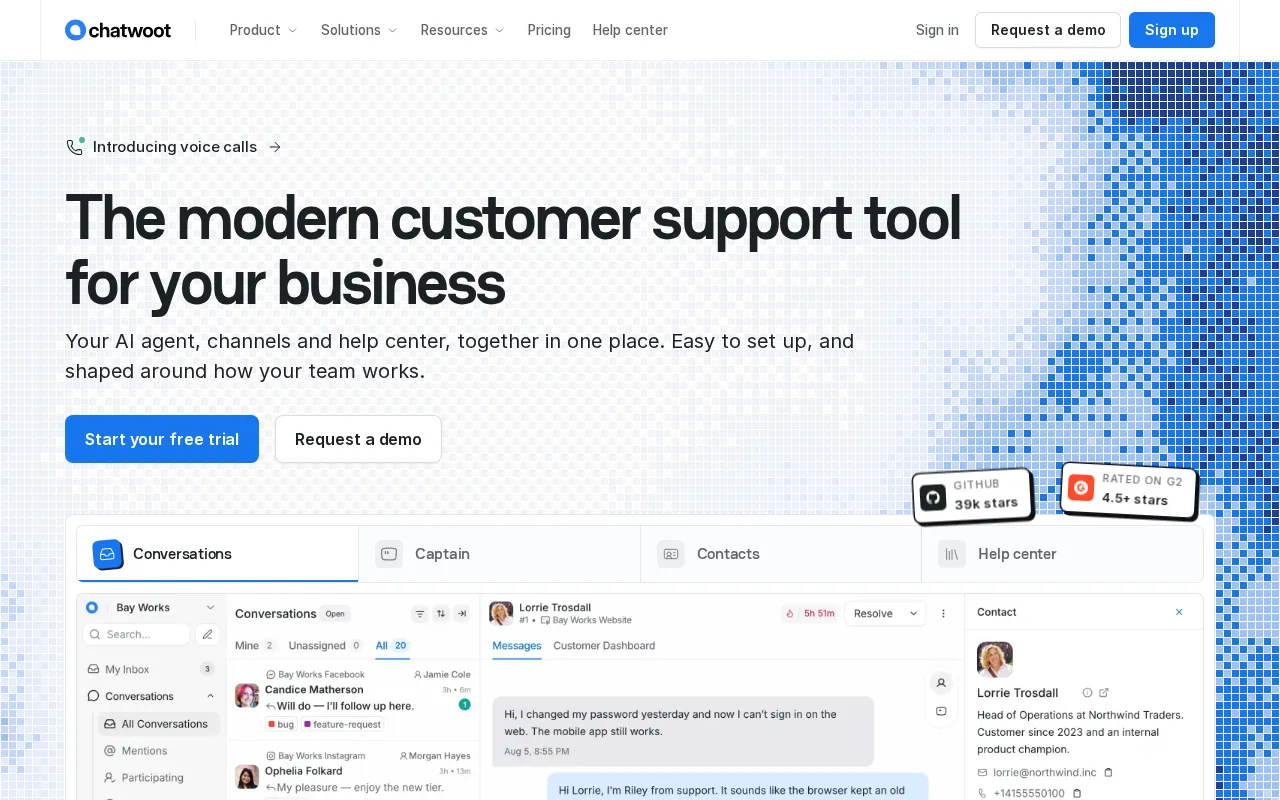
Chatwoot homepage, November 2026

Chatwoot is open-source support software with one inbox for live chat, email, WhatsApp, social and voice, a help center, and Captain, its AI agent. You can use Chatwoot Cloud or host it yourself.

Best for
Teams that want many channels at a low seat price, or want to run their help desk on their own servers.
How it bills
Cloud is per agent a month: Startups $19, Business $39 and Enterprise $99, with 300, 500 or 800 Captain credits for the account. Each Captain reply uses a credit, extra credits are $20 per 1,000, and no annual price is published. Credits never top up by themselves: once they run out, new conversations go straight to your team with no Captain reply.
Free plan
Yes: 2 agents, live chat only, 500 conversations a month
3 people, 300 AI replies
$57 a month: 3 Startups agents at $19, with the 300 included Captain credits covering 300 AI replies.

Pros

  • Open source: the self-hosted Community Edition is free, and your data stays on your own servers.
  • One inbox for live chat, email, WhatsApp, Instagram, Messenger, TikTok and, from Business, voice calls.
  • Startups includes every channel but voice, plus a help center, at $19 an agent a month.
  • An official CLI and agent skill let coding agents such as Claude Code work in Chatwoot.

Cons

  • Startups has no automation rules or teams; those start on Business at $39 an agent.
  • Captain uses a credit for every reply, and bought credits expire after 6 months and aren’t refunded.
  • Since July 2026 the free Cloud plan has no API or webhook access.
  • No official MCP server, and Captain’s custom tools have no built-in approval step for actions like refunds.

Already on Chatwoot? See the best Chatwoot alternatives.
Kommo

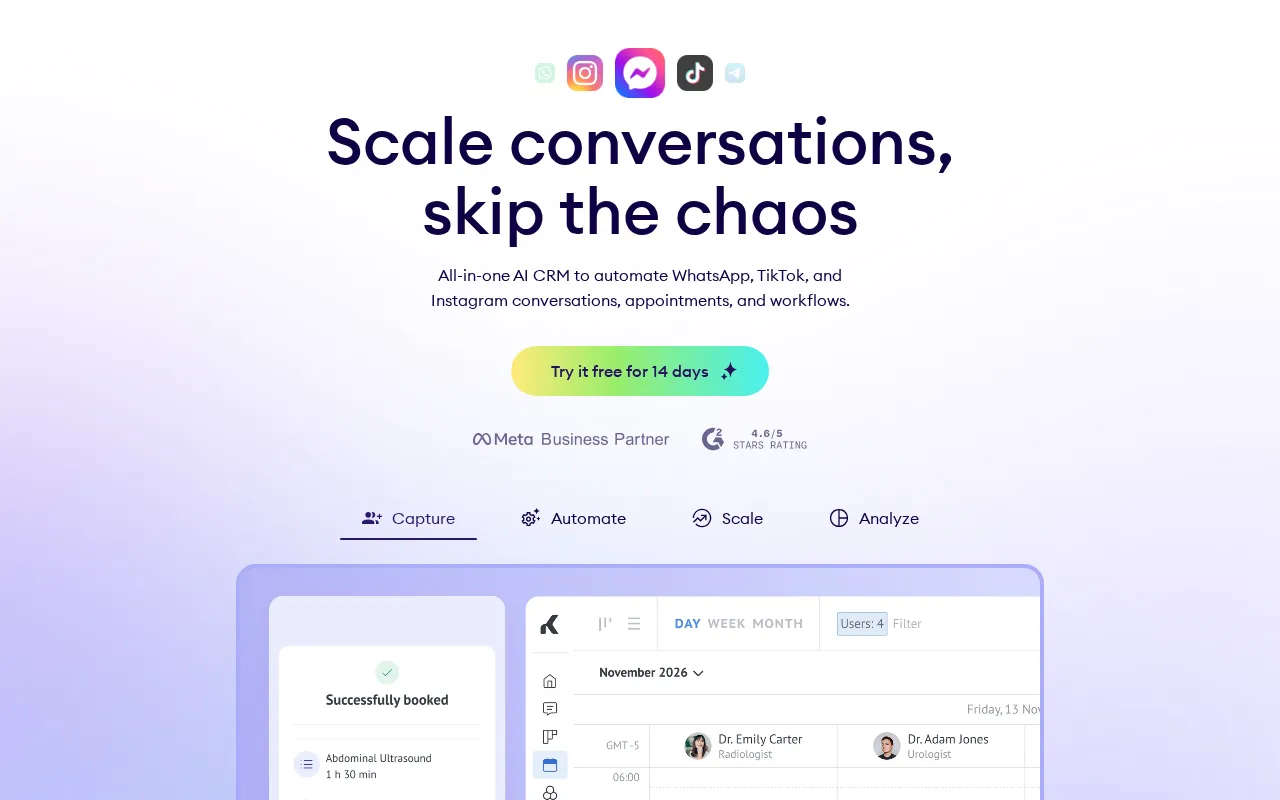
Kommo homepage, November 2026

Kommo is a messenger-based sales CRM: one inbox for WhatsApp, Instagram, Facebook, TikTok, Telegram, email and website chat, where each chat becomes a lead in a sales pipeline, with Salesbots, broadcasts and AI agents that answer and qualify leads.

Best for
Sales teams that sell over WhatsApp and social messengers and want each chat tracked as a lead through a pipeline.
How it bills
Per user a month on a 6-month subscription, the shortest Kommo sells: Base is $25, Advanced $35 and Pro $45, or $20.84, $29.17 and $37.50 on a 1-year subscription, with no monthly payment. Since September 1, 2026, Base and Advanced prices for new customers depend on their billing country. Each seat adds AI credits a month, 750 on Base, 1,250 on Advanced and 2,250 on Pro, shared by every AI feature, and more can be bought in blocks of 5,000.
Free plan
No, 14-day trial of every Pro feature without a card
3 people, 300 AI replies
$88 or more a month: 3 Advanced seats at $29.17 on a 1-year subscription, the first plan with the AI agent, with 3,750 AI credits a month; Kommo doesn’t say how many credits a reply uses, so 300 AI replies may need more.

Pros

  • WhatsApp, Instagram, Facebook, TikTok and Telegram chats, email and website chat in one inbox, next to a sales pipeline.
  • AI agents answer chats from your own sources, qualify leads and book meetings, with 3 active at once on Advanced and 50 on Pro.
  • Broadcasts, Salesbots and workflow automations start on Advanced.
  • A 14-day trial of every Pro feature without a card, and checkout by card or PayPal without a sales call.

Cons

  • No monthly payment: the shortest subscription is 6 months, and payments aren’t refunded for unused time except in special cases.
  • Every AI feature shares one pool of credits that expires each month, and AI agents stop responding when it runs out.
  • The AI agent reads Shopify data without changing it, and orders can’t be cancelled from Kommo.
  • No help center for customers and no official MCP server, and the API reads chat history only on Pro or Enterprise.

Already on Kommo? See the best Kommo alternatives.

Pick Chatwoot if

  • Your team answers support questions, and customers should be able to find answers themselves in a help center.
  • You’d rather pay per agent by the month than sign up for 6 months or more.
  • Customers call as well as message, and you want those calls in the inbox with everything else, from $39 an agent on Business.
  • Conversations must stay on servers you run, with the free self-hosted Community Edition.
  • You want AI costs you can count: one Captain credit per reply, and $20 for each 1,000 beyond the monthly allowance.

Pick Kommo if

  • You sell on WhatsApp, Instagram or Telegram, and every chat should be tied to a lead in a pipeline.
  • Salesbots and broadcasts do your follow-ups, and starting on Advanced to get them is fine.
  • You want AI agents that qualify buyers and book meetings rather than only answer questions, with up to 50 on Pro.
  • You run ads and want customer segments that sync to your ad platforms, which Pro includes.
  • You want to try every Pro feature for 14 days before you pay, with no card asked for.

When to consider Rinhelp instead

Rinhelp fits a team of 2 to 10 doing support over email and live chat that wants Rin, our built-in AI, answering first without counting credits or committing for months. Pro is $49 a month for the whole workspace with 5,000 AI replies, and Free covers up to 3 teammates. Your own AI agent works the inbox through Rinhelp’s MCP server, which neither Chatwoot nor Kommo offers officially, and a refund or cancellation waits until a teammate approves it. Look elsewhere if customers reach you on WhatsApp, Instagram, SMS or the phone, if you need reports or routing rules, or if you sell through a pipeline: Chatwoot covers those channels and can run on your own servers, and Kommo is built for selling in messengers.

Start free

Moving to Rinhelp

From Chatwoot

Chatwoot conversations, their messages and your canned responses move through its Application API, and Chatwoot’s official CLI lets a coding agent do the reading. Ask for every status: by default the conversation list returns only open conversations. See the full move from Chatwoot.

From Kommo

Kommo conversations and their chat messages, from WhatsApp and the other chat channels connected to Kommo, come out of its API on the Pro and Enterprise plans. The API lists 250 conversations a page and reads each one’s messages with one more call. Leads, pipelines and Salesbots stay in Kommo. See the full move from Kommo.

Questions about Chatwoot vs Kommo

Can Kommo do customer support instead of Chatwoot?

For chat it can. Its AI agents answer from your own sources, and its inbox gathers WhatsApp, Instagram, Facebook, TikTok, Telegram, email and website chat. Conversations are still tied to leads in a sales pipeline, though, and there’s no help center where customers look things up, which Chatwoot includes from Startups.

Can Captain or Kommo’s AI agent refund or cancel an order?

Captain can, but not with a person checking first, and Kommo’s AI agent can’t at all. Captain can call custom tools you set up, but Chatwoot gives them no built-in approval step for actions like refunds. Kommo’s AI agent reads Shopify data without changing it, and an order can’t be cancelled from Kommo at all.

What if we stop using Kommo before the subscription ends?

Kommo doesn’t refund the unused part of a subscription except in special cases, and its shortest term is 6 months, $210 a user on Advanced. Use the 14-day trial of every Pro feature first, since it needs no card.

Can I host Chatwoot myself instead of paying for seats?

Yes. The Community Edition is open source and free to run on your own servers, and it keeps your conversations there rather than in Chatwoot Cloud.

How we checked

We compared Chatwoot and Kommo using the facts we keep on each, checked against the vendor’s own pages on the date shown beside its sources. Rinhelp is in every table because it is our product and we wrote this page, so check each figure against the vendor’s own page before you decide.

Costs are list prices in US dollars for three team sizes, on the cheapest plan that covers them, counting each AI reply as one resolved conversation. Features count only when the vendor’s own pages say a plan includes them. The AI column counts actions an official MCP server from the vendor can take, out of 11, and leaves third-party connectors out.

Try Rinhelp next to Chatwoot or Kommo.

Start free with up to 3 teammates and 50 AI replies.

Start free