Start free

Chatwoot vs Respond.io (2026): pricing, AI and features

By , founder of Rinhelp, which appears in this comparison · Facts checked

The short answer

Chatwoot suits a support team that answers chat, email, WhatsApp and social messages, wants customers to look things up in a help center, and may want to run everything on its own servers. Respond.io suits a B2C team that sells as much as it supports over WhatsApp and other messaging apps, with AI agents, broadcasts, Workflows and calls handled from one inbox. With AI sending 1,000 replies a month, 5 people pay $115 a month on Chatwoot Startups: 5 seats at $19, and $20 for 1,000 credits for Captain, Chatwoot’s AI agent, beyond the account’s monthly 300. On Respond.io they pay $159 a month for Growth billed yearly, which already covers 10 users and 10,000 AI credits but only 1,000 monthly active contacts.

See Rinhelp on your own site. Enter your website and Rin builds your help desk from it: a chat widget, a help center and an inbox.

Free. No sign-up to look. Ready in a minute or two.

Is your help center somewhere else?

Rin will read . If your help articles or docs live at another address, like help. or a Notion page, Rin can read those too.

Where is your help center?

Rin reads it along with and turns it into your help center.

Chatwoot vs Respond.io at a glance

ToolBest forHow it billsFree plan3 people, 300 AI replies
ChatwootTeams that want many channels at a low seat price, or want to run their help desk on their own servers.Per agent, plus AI creditsYes: 2 agents, live chat only, 500 conversations a month$57
Respond.ioB2C teams that sell and support over WhatsApp and other messaging apps, and want AI agents and calls in the same inbox.Per plan, priced by the contacts you talk to each month, with users and AI credits includedNo, 7-day trial of Growth without a card$159
RinhelpSmall teams that want AI on every conversation at one flat price, and want their own AI agents working in the inbox.One price per workspaceYes: 3 teammates, 50 AI replies to try Rin$49

Key differences

Chatwoot counts seats, Respond.io from Growth counts the people you talk to

Chatwoot Cloud bills a seat for each teammate every month, $19 on Startups, $39 on Business or $99 on Enterprise, and publishes no yearly price, while paid plans take unlimited conversations under its fair use policy. Respond.io sells a plan with users included, 10 on Growth, and prices Growth and Advanced by monthly active contacts: billed yearly, Growth is $159 for 1,000 of them, $239 for 2,500, $319 for 5,000 and $449 for 10,000. Each 100 contacts beyond the tier add $12. A few seats serving a crowd of customers come out cheaper on Chatwoot than on Growth, though Respond.io Starter, billed yearly at $79 a month for 5 users and any number of contacts, undercuts 5 Chatwoot seats. A team of up to 10 serving few contacts pays nothing extra for headcount on Growth.

Captain arrives on the first paid plan, AI agents on Respond.io Growth

Startups, at $19 a seat, already lets Captain answer customers from 300 shared credits a month. Respond.io Starter, $79 a month on yearly billing for 5 users and any number of contacts, spends its 5,000 AI credits on AI Prompts, AI Assist and AI chat summaries for your team. Respond.io AI agents that reply to customers, along with Workflows, broadcasts and the Developer API, wait for Growth.

Running out of AI credits works differently

A Captain reply costs exactly 1 credit, and a block of 1,000 more costs $20, lapsing 6 months after purchase with no refund. Chatwoot never buys credits for you: when the month’s credits run dry, new conversations skip Captain and land with your team. On Respond.io Growth the allowance is 10 times your contact tier, an AI agent reply takes 2 to 5 credits, and usage past the allowance is billed at $15 per 1,000, up to a ceiling of twice the allowance, where its AI pauses until the next billing cycle.

A help center and your own servers, or AI on calls

Chatwoot gives customers a help center from Startups, and its open-source Community Edition can be hosted on your own hardware for free. Respond.io has no help center, but its inbox lists Telegram, LINE, WeChat and Viber beside WhatsApp, Instagram, Messenger and TikTok, with WhatsApp, Messenger and VoIP calls taken in the same place. Chatwoot takes voice calls from Business, and Respond.io adds AI agents that pick up the phone on Advanced.

Respond.io ships an official MCP server on every plan

Claude or ChatGPT signs in to Respond.io’s hosted server with OAuth, works under your own role, and can read message history, reply, leave internal notes, assign and close, without spending AI credits. On Chatwoot, an official CLI and agent skill let a coding agent such as Claude Code do the work, and Chatwoot’s free Cloud plan lost API and webhook access in July 2026.

Pricing at three sizes

What each tool costs a month in US dollars, with AI answering, and how each total adds up. Each AI reply counts as one resolved conversation.

Tool3 people, 300 AI replies5 people, 1,000 AI replies10 people, 3,000 AI replies
Chatwoot$573 Startups agents at $19, with the 300 included Captain credits covering 300 AI replies.$1155 Startups agents at $19, plus 1,000 extra Captain credits at $20.$25010 Startups agents at $19, plus 3,000 extra Captain credits at $20 per 1,000.
Respond.io$159Growth at $159 a month billed yearly, $1,908 a year, for 10 users and 1,000 monthly active contacts, with 10,000 AI credits; at 2 to 5 credits per AI agent reply, 300 replies use at most 1,500.$159Growth at $159 a month billed yearly, for 10 users and 1,000 monthly active contacts, with 10,000 AI credits; at 2 to 5 credits per AI agent reply, 1,000 replies use at most 5,000.$319Growth at $319 a month billed yearly on the 5,000-contact tier, since 3,000 contacts pass the 2,500 tier, for 10 users and 50,000 AI credits; 3,000 AI agent replies use at most 15,000.
Rinhelp$49Pro for the whole workspace, using 300 of its 5,000 AI replies; Free covers your team if you don’t need AI replies.$49Pro for the whole workspace, using 1,000 of its 5,000 AI replies.$49Pro for the whole workspace, using 3,000 of its 5,000 AI replies.

Features compared

A check means the vendor’s own pages say a plan includes it.

ToolEmailLive chatWhatsAppVoiceHelp centerAI that answers customersShopifyStripeFree planSignup without a sales call
Chatwoot
Respond.io
Rinhelp

What your AI can do in each tool

Connect Claude, ChatGPT or your own AI agent through the vendor’s official MCP server, and this is what it can do of 11 everyday actions: search and read conversations, reply to a customer, add an internal note, assign, close or reopen, search the help center, write or update an article, publish an article, create a saved reply, look up an order, refund or cancel.

ToolThrough official MCPWhat it can doMoney moves wait for a teammate
Chatwoot0 of 11No official MCP server, or nothing from this listNo refunds or cancellations through MCP
Respond.io5 of 11Search and read conversations, reply to a customer, add an internal note, assign, close or reopenNo refunds or cancellations through MCP
Rinhelp11 of 11Search and read conversations, reply to a customer, add an internal note, assign, close or reopen, search the help center, write or update an article, publish an article, create a saved reply, look up an order, refund or cancelYes, a teammate approves first

More on each MCP server, and connectors from other companies, which don’t count:

  • Chatwoot: Only community MCP servers exist. Chatwoot’s official CLI and agent skill let coding agents work in Chatwoot, but aren’t MCP.
  • Respond.io: Respond.io’s hosted MCP server is listed on every plan, signs in with OAuth and acts with your own role in one workspace. Its tools also manage contacts, AI agents and Workflows, it asks before publishing, stopping or deleting a Workflow, and its actions use no AI credits.

Chatwoot

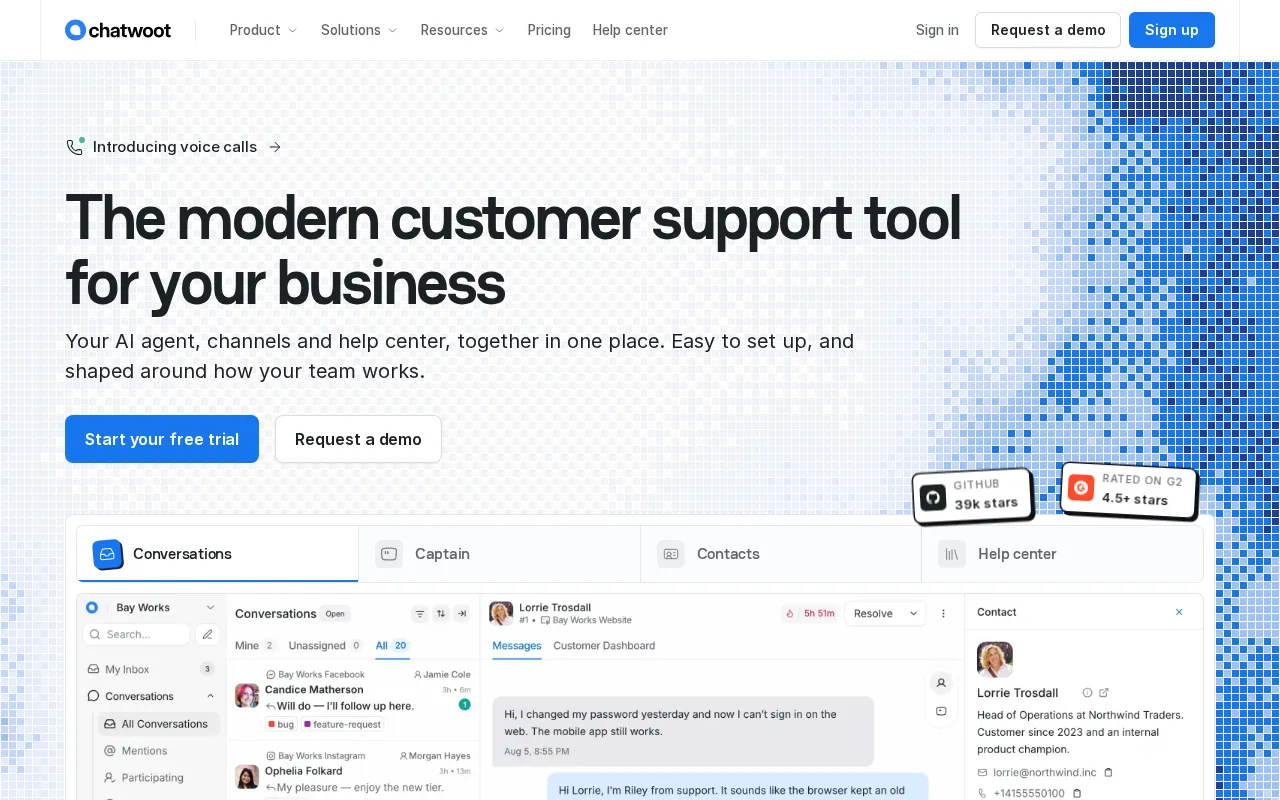
Chatwoot homepage, November 2026

Chatwoot is open-source support software with one inbox for live chat, email, WhatsApp, social and voice, a help center, and Captain, its AI agent. You can use Chatwoot Cloud or host it yourself.

Best for
Teams that want many channels at a low seat price, or want to run their help desk on their own servers.
How it bills
Cloud is per agent a month: Startups $19, Business $39 and Enterprise $99, with 300, 500 or 800 Captain credits for the account. Each Captain reply uses a credit, extra credits are $20 per 1,000, and no annual price is published. Credits never top up by themselves: once they run out, new conversations go straight to your team with no Captain reply.
Free plan
Yes: 2 agents, live chat only, 500 conversations a month
3 people, 300 AI replies
$57 a month: 3 Startups agents at $19, with the 300 included Captain credits covering 300 AI replies.

Pros

  • Open source: the self-hosted Community Edition is free, and your data stays on your own servers.
  • One inbox for live chat, email, WhatsApp, Instagram, Messenger, TikTok and, from Business, voice calls.
  • Startups includes every channel but voice, plus a help center, at $19 an agent a month.
  • An official CLI and agent skill let coding agents such as Claude Code work in Chatwoot.

Cons

  • Startups has no automation rules or teams; those start on Business at $39 an agent.
  • Captain uses a credit for every reply, and bought credits expire after 6 months and aren’t refunded.
  • Since July 2026 the free Cloud plan has no API or webhook access.
  • No official MCP server, and Captain’s custom tools have no built-in approval step for actions like refunds.

Already on Chatwoot? See the best Chatwoot alternatives.
Respond.io

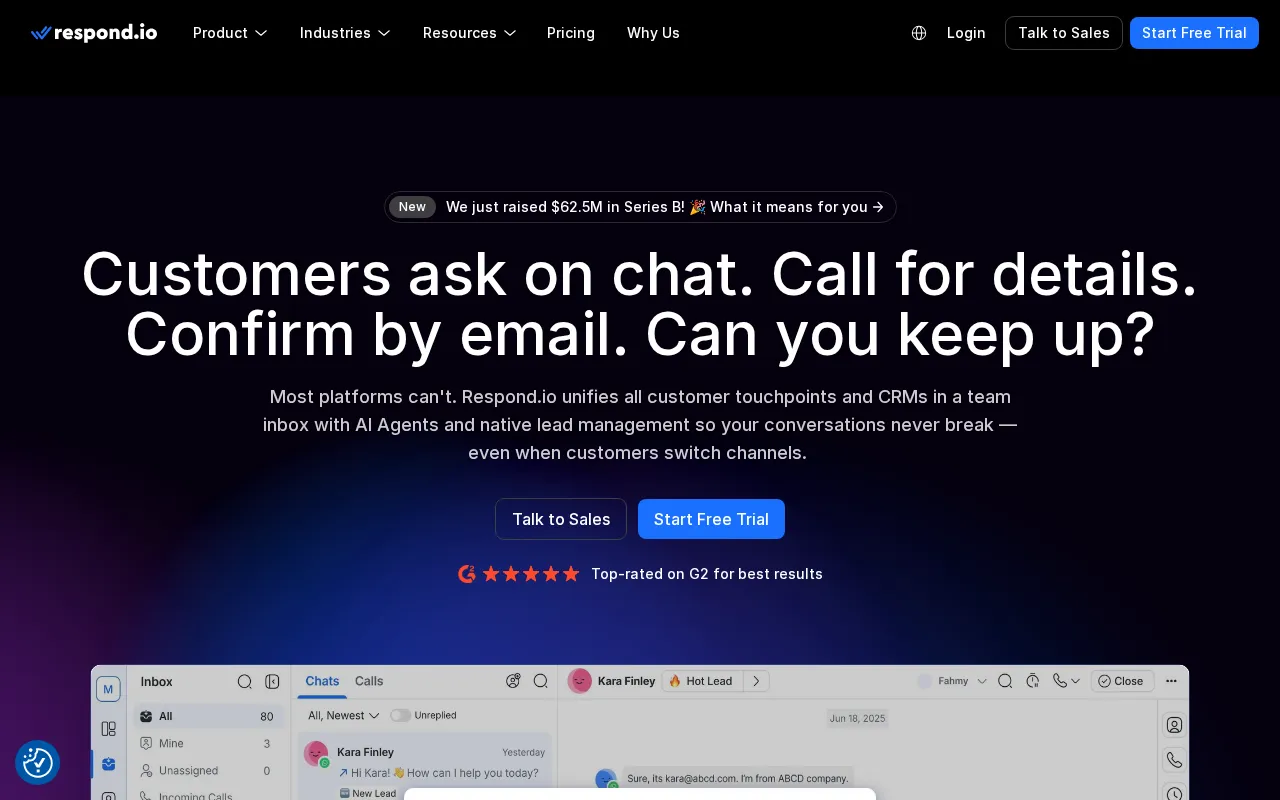
Respond.io homepage, November 2026

Respond.io is a WhatsApp-first conversation platform for B2C sales and support: one inbox for WhatsApp, Instagram, Messenger, TikTok, Telegram, email, website chat and calls, with AI agents that answer, qualify leads and route chats, plus broadcasts and workflows.

Best for
B2C teams that sell and support over WhatsApp and other messaging apps, and want AI agents and calls in the same inbox.
How it bills
Starter is $79 a month on yearly billing, $948 a year, or $99 month to month, for 5 users and no limit on monthly active contacts. Growth and Advanced start with 10 users and 1,000 monthly active contacts: Growth from $159 a month yearly or $199 monthly, Advanced from $279 or $349, rising with each tier of 2,500, 5,000 and 10,000 contacts. Extra users are $12, $20 and $24 a month on yearly billing, or $15, $25 and $30 monthly. Contacts past the tier cost $12 per 100 on Growth and $15 per 100 on Advanced, and AI credits past the allowance $15 per 1,000, until a month’s usage reaches twice the allowance and AI features pause until the next billing cycle. Meta bills WhatsApp fees on top.
Free plan
No, 7-day trial of Growth without a card
3 people, 300 AI replies
$159 a month: Growth at $159 a month billed yearly, $1,908 a year, for 10 users and 1,000 monthly active contacts, with 10,000 AI credits; at 2 to 5 credits per AI agent reply, 300 replies use at most 1,500.

Pros

  • WhatsApp, Instagram, Messenger, TikTok, Telegram, LINE, WeChat, Viber, SMS, email and website chat in one inbox, with WhatsApp, Messenger and VoIP calls beside them.
  • AI agents answer from your website and documents, assign or close conversations, update contact fields and hand off to your team, from Growth up.
  • An official hosted MCP server on every plan lets Claude or ChatGPT read message history, reply, add internal comments, assign and close conversations, with your own role.
  • Starter has no limit on the contacts you talk to, at $79 a month on yearly billing for 5 users.
  • A 7-day trial of Growth without a credit card, and Starter and Growth are bought without a sales call.

Cons

  • AI agents, Workflows, broadcasts and the Developer API start on Growth, so Starter has none of them.
  • Growth and Advanced are priced by monthly active contacts, so the bill climbs with each tier, and contacts past it cost $12 or $15 per 100.
  • No help center for customers, and no Shopify or Stripe integration of its own: store orders reach it only through Zapier, Make or n8n.
  • Fees aren’t refunded for unused time, and Meta bills WhatsApp’s own fees on top of the plan.

Already on Respond.io? See the best Respond.io alternatives.

Pick Chatwoot if

  • Customers should search a help center before they write, and you want it from the first paid plan, Startups at $19 a seat.
  • Your conversation data has to stay on machines you manage, so you’d run the free Community Edition.
  • A small team talks to thousands of customers each month, and you’d rather the bill track seats than contacts.
  • You want Captain answering customers from Startups, with 300 credits a month shared by the whole account.
  • A team of 2 handles only the chat on your website, and the free Hacker plan’s 500 conversations a month are plenty.

Pick Respond.io if

  • Your team sells as well as supports over WhatsApp, with AI agents qualifying leads and routing chats, and broadcasts doing the follow-up.
  • You want Claude or ChatGPT replying, adding notes, assigning and closing through an official MCP server, whatever plan you’re on.
  • Calls over WhatsApp, Messenger or VoIP belong in the inbox, and on Advanced an AI agent should answer them.
  • A team of 5 wants a shared inbox with AI Assist and chat summaries, and Starter’s $79 a month on yearly billing, with no cap on contacts, suits it better than paying per seat.

When to consider Rinhelp instead

Look at Rinhelp if 2 to 10 people answer email and website chat, and you want Rin, our built-in AI, replying first at a price that follows neither seats nor contacts. One Pro workspace runs $49 monthly and includes 5,000 AI replies, and teams of 3 or fewer can stay on Free if the 50 AI replies to try Rin are enough. It isn’t the tool if customers reach you on WhatsApp, Instagram, SMS or the phone, if you send broadcasts, need reports or routing rules, or must host it yourself. Chatwoot covers email, WhatsApp, Instagram and SMS from $19 a seat and the phone from $39, and is the one to pick if you must run it on your own servers. If selling over WhatsApp with AI that qualifies leads, or AI that answers phone calls, is the heart of your work, Respond.io is built for it. Like Respond.io, Rinhelp has an official MCP server, and a Shopify or Stripe refund or cancellation your AI agent asks for is held for a teammate to approve.

Start free

Moving to Rinhelp

From Chatwoot

Chatwoot conversations, their messages and your canned responses move through its Application API, and Chatwoot’s official CLI lets a coding agent do the reading. Ask for every status: by default the conversation list returns only open conversations. See the full move from Chatwoot.

From Respond.io

Respond.io keeps every message on the contact, across WhatsApp, email, website chat and its other channels. Its Developer API, on Growth and above, lists contacts 99 a page and each contact’s messages 50 a page, with internal comments mixed in when asked. Workflows, broadcasts and AI agents stay in Respond.io. See the full move from Respond.io.

Questions about Chatwoot vs Respond.io

Can Chatwoot replace Respond.io for WhatsApp support?

For answering customers, yes: Startups puts WhatsApp in the same inbox as email, Instagram, TikTok and SMS for $19 a seat. What Respond.io adds from Growth is a sales layer, with AI agents that qualify leads, broadcasts and Workflows.

What happens when we use up the AI credits?

On Chatwoot, Captain stops replying to new conversations, which go straight to your team, until the next month or until someone buys more at $20 per 1,000. On Respond.io, credits used past the allowance are billed at $15 per 1,000, and once a month’s total reaches double the allowance, AI features stop until the cycle resets.

Which one gets more expensive as we grow?

It depends on what grows. Chatwoot’s paid plans take unlimited conversations under its fair use policy, so the bill grows with teammates, each a seat at $19 or more, and with Captain replies. On Respond.io, Growth includes 10 users, then extra ones cost $20 a month each on yearly billing, and the price climbs with every contact tier: $159 to $449 a month between 1,000 and 10,000 contacts.

Do we get money back if we stop paying early?

Not on Respond.io: fees aren’t refunded for unused time, which matters most on a yearly plan such as Starter at $948 a year. Chatwoot publishes only monthly seat prices, and Captain credits you bought aren’t refunded and lapse 6 months after purchase.

How we checked

We compared Chatwoot and Respond.io using the facts we keep on each, checked against the vendor’s own pages on the date shown beside its sources. Rinhelp is in every table because it is our product and we wrote this page, so check each figure against the vendor’s own page before you decide.

Costs are list prices in US dollars for three team sizes, on the cheapest plan that covers them, counting each AI reply as one resolved conversation. Features count only when the vendor’s own pages say a plan includes them. The AI column counts actions an official MCP server from the vendor can take, out of 11, and leaves third-party connectors out.

Try Rinhelp next to Chatwoot or Respond.io.

Start free with up to 3 teammates and 50 AI replies.

Start free