Start free

LiveChat vs Zendesk (2026): pricing, AI and features

By , founder of Rinhelp, which appears in this comparison · Facts checked

The short answer

LiveChat suits a sales-minded team that lives in website chat, wants to see who is browsing before saying hello, and wants chat, email tickets and an AI agent in a $19 seat. Zendesk suits a support team that takes phone calls or needs a knowledge base, both of which come with its $55 Suite Team seat, and that wants a marketplace of 1,800+ apps, partners and integrations to grow into. With AI resolving 1,000 conversations a month, 5 people on LiveChat Essential pay about $1,085, nearly all of it resolution packs, while 5 on Zendesk Support Team pay about $1,558 for email alone.

See Rinhelp on your own site. Enter your website and Rin builds your help desk from it: a chat widget, a help center and an inbox.

Free. No sign-up to look. Ready in a minute or two.

Is your help center somewhere else?

Rin will read . If your help articles or docs live at another address, like help. or a Notion page, Rin can read those too.

Where is your help center?

Rin reads it along with and turns it into your help center.

LiveChat vs Zendesk at a glance

ToolBest forHow it billsFree plan3 people, 300 AI replies
LiveChatOnline stores and sales teams that live in website chat and want to see who is browsing before they reach out.Per user, plus each AI resolutionNo, 14-day trial without a card$336
ZendeskGrowing and large teams that need voice, many channels, 1,800+ apps and integrations, and enterprise controls to grow into.Per agent, plus each automated resolutionNo, 14-day trial$485
RinhelpSmall teams that want AI on every conversation at one flat price, and want their own AI agents working in the inbox.One price per workspaceYes: 3 teammates, 50 AI replies to try Rin$49

Key differences

LiveChat starts with chat, Zendesk starts with email

LiveChat Essential, at $19 a user a month on annual billing or $25 monthly, gives you website chat, an inbox with tickets and an AI agent from the first day. Zendesk’s $19 Support Team plan is built around email tickets, and chat and messaging only arrive on Suite Team at $55 an agent, or $69 month to month. For a team whose customers mostly start in the chat box, the honest seat comparison is $19 against $55.

A lower AI rate on LiveChat, a bigger allowance on Zendesk

LiveChat includes 10 AI resolutions a month on Essential or 200 on Growth, then sells them in packs of 50 for $49.50, which works out to $0.99 each, and a chat counts once however many questions it holds. Zendesk hands every agent seat 5 a month, 10 on Suite Professional, and bills each one past that at $1.50 on a committed volume or $2.00 pay as you go. Five Zendesk agents start each month with 25 free against Essential’s 10, but beyond the allowance each Zendesk resolution costs at least half as much again.

Zendesk can pick up the phone

Telephony is part of the Suite Team seat, Suite Professional adds an IVR phone tree, and Zendesk’s AI agents can answer by voice as well as by email and messaging. LiveChat’s plans list no phone line. Beyond the chat window it reaches customers through messaging instead: WhatsApp on every paid plan, plus Messenger and SMS through Twilio.

LiveChat sees who is browsing

LiveChat shows who is on your site right now and which pages they have open, so a teammate can start the chat before the visitor asks. Essential tracks 50 live visitors with 3 proactive campaigns, Growth 400 with 30, and selling through Shopify is on the cheapest plan. Zendesk’s Shopify link serves after-sales work instead: agents refund and cancel orders from inside the ticket, and action flows can cancel a Stripe subscription.

LiveChat’s MCP reads, Zendesk’s hasn’t shipped

Text, Inc., which makes LiveChat, runs an official MCP server, the standard way AI agents such as Claude plug into tools. It lists and reads chats and tickets but can’t reply, close or assign, and from ChatGPT only its search and fetch tools work, with deep research switched on. Zendesk announced a server in May 2026 for early access and hasn’t published what it can do, so for now Claude reaches Zendesk through a marketplace app such as Swifteq’s.

Pricing at three sizes

What each tool costs a month in US dollars, with AI answering, and how each total adds up. Each AI reply counts as one resolved conversation.

Tool3 people, 300 AI replies5 people, 1,000 AI replies10 people, 3,000 AI replies
LiveChat$3363 Growth users at $79 on annual billing, which include 200 AI resolutions, plus 2 packs of 50 at $49.50.$1,0855 Essential users at $19 on annual billing, which include 10 AI resolutions, plus 20 packs of 50 at $49.50.$3,16010 Essential users at $19 on annual billing, which include 10 AI resolutions, plus 60 packs of 50 at $49.50.
Zendesk$4853 Support Team agents at $19 on annual billing, plus 285 automated resolutions at $1.50 committed beyond the 15 included, on email only.$1,5585 Support Team agents at $19 on annual billing, plus 975 automated resolutions at $1.50 committed beyond the 25 included, on email only.$4,61510 Support Team agents at $19 on annual billing, plus 2,950 automated resolutions at $1.50 committed beyond the 50 included, on email only.
Rinhelp$49Pro for the whole workspace, using 300 of its 5,000 AI replies; Free covers your team if you don’t need AI replies.$49Pro for the whole workspace, using 1,000 of its 5,000 AI replies.$49Pro for the whole workspace, using 3,000 of its 5,000 AI replies.

Features compared

A check means the vendor’s own pages say a plan includes it.

ToolEmailLive chatWhatsAppVoiceHelp centerAI that answers customersShopifyStripeFree planSignup without a sales call
LiveChat
Zendesk
Rinhelp

What your AI can do in each tool

Connect Claude, ChatGPT or your own AI agent through the vendor’s official MCP server, and this is what it can do of 11 everyday actions: search and read conversations, reply to a customer, add an internal note, assign, close or reopen, search the help center, write or update an article, publish an article, create a saved reply, look up an order, refund or cancel.

ToolThrough official MCPWhat it can doMoney moves wait for a teammate
LiveChat1 of 11Search and read conversationsNo refunds or cancellations through MCP
Zendesk0 of 11No official MCP server, or nothing from this listNo refunds or cancellations through MCP
Rinhelp11 of 11Search and read conversations, reply to a customer, add an internal note, assign, close or reopen, search the help center, write or update an article, publish an article, create a saved reply, look up an order, refund or cancelYes, a teammate approves first

More on each MCP server, and connectors from other companies, which don’t count:

  • LiveChat: Text’s REST API can send messages and close chats, but its MCP only reads. In ChatGPT, only its search and fetch tools work, and deep research must be on.
  • Zendesk: Zendesk’s announced MCP server has no published docs or tool list yet.

LiveChat

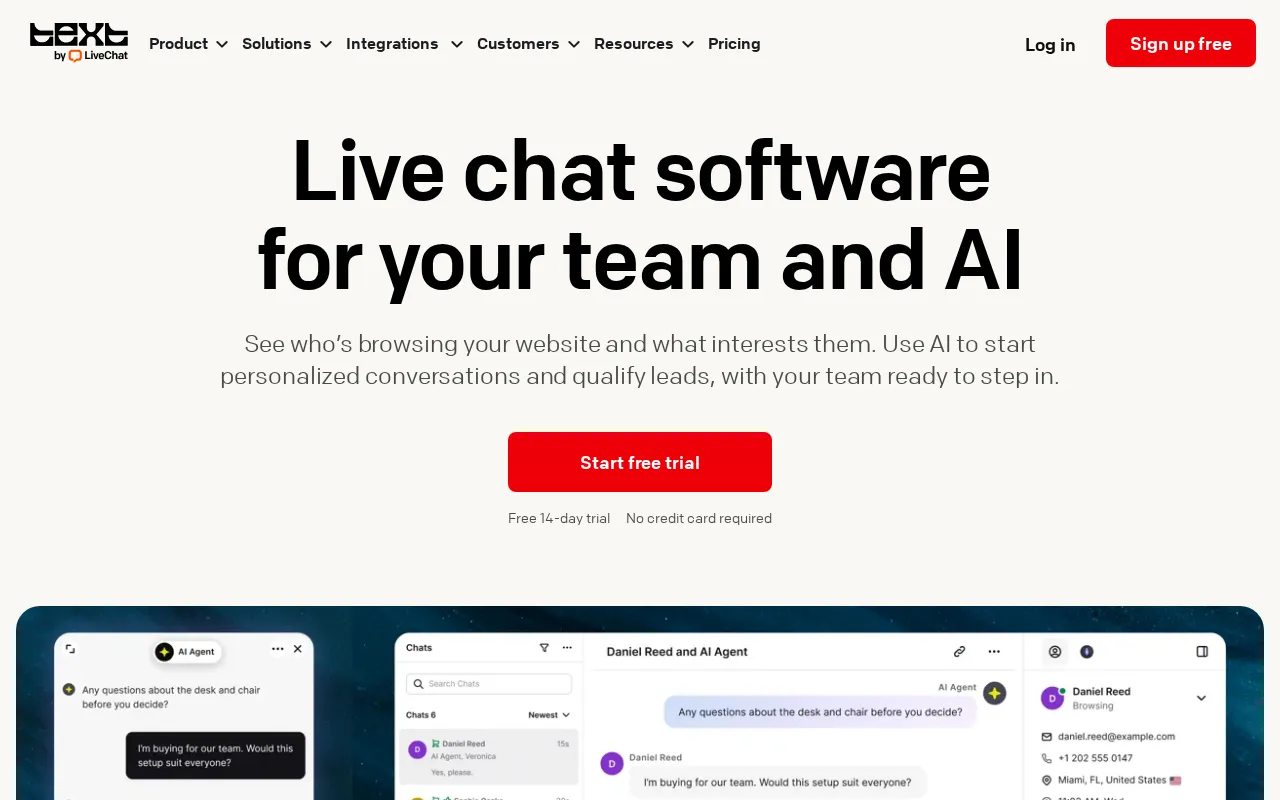
LiveChat homepage, November 2026

LiveChat is website chat software from Text, Inc., built to turn chats into sales. New LiveChat accounts now start on Text plans, which add tickets and an AI agent that answers chats, while existing customers keep their old plan.

Best for
Online stores and sales teams that live in website chat and want to see who is browsing before they reach out.
How it bills
Per user: Essential is $19 and Growth $79 a user a month on annual billing ($25 and $99 monthly). Essential includes 10 AI resolutions a month and Growth 200, then packs of 50 at $49.50.
Free plan
No, 14-day trial without a card
3 people, 300 AI replies
$336 a month: 3 Growth users at $79 on annual billing, which include 200 AI resolutions, plus 2 packs of 50 at $49.50.

Pros

  • Real-time visitor tracking shows who is on your site and which pages they browse, so you can start the chat yourself.
  • WhatsApp comes on every paid plan, next to Messenger and SMS through Twilio.
  • Apps for Windows, Mac, iOS and Android, and a marketplace with Shopify, WooCommerce, BigCommerce and WordPress.
  • An AI resolution is counted once per chat, however many questions the customer asks in it.

Cons

  • Every person who answers needs a seat, and AI resolutions beyond the plan’s allowance cost $0.99 each.
  • Essential keeps conversation and file history for 60 days only.
  • Text’s official MCP can read chats and tickets but can’t reply, close or assign.
  • LiveChat doesn’t refund payments it has already processed.

Already on LiveChat? See the best LiveChat alternatives.
Zendesk

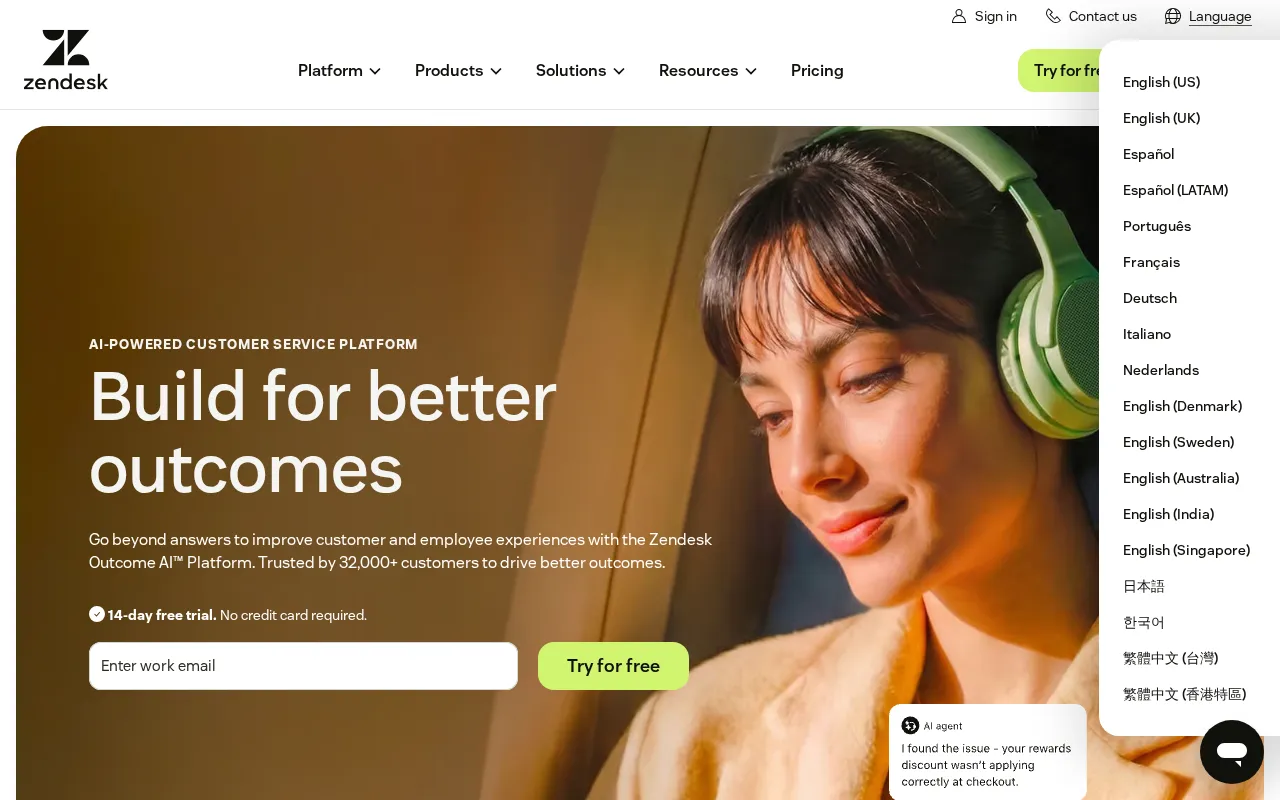
Zendesk homepage, November 2026

Zendesk is a customer service suite for email, messaging, live chat, social and voice, with AI agents that answer customers and are billed per automated resolution.

Best for
Growing and large teams that need voice, many channels, 1,800+ apps and integrations, and enterprise controls to grow into.
How it bills
Per agent: Support Team is $19, Suite Team $55 and Suite Professional $115 a month on annual billing ($25, $69 and $149 monthly). Each agent brings 5 automated resolutions a month (10 on Professional), then each costs $1.50 committed or $2.00 pay as you go. Copilot is $50 more an agent.
Free plan
No, 14-day trial
3 people, 300 AI replies
$485 a month: 3 Support Team agents at $19 on annual billing, plus 285 automated resolutions at $1.50 committed beyond the 15 included, on email only.

Pros

  • Email, messaging, live chat, WhatsApp, social and voice sit in one Suite, and AI agents can answer on email, messaging or voice.
  • Its marketplace lists 1,800+ apps, partners and integrations.
  • Agents refund and cancel Shopify orders inside a ticket, and an admin can connect Zendesk’s AI agents to Stripe’s MCP server.
  • The 14-day trial opens every Suite Professional feature, Copilot included, and startups can get 6 months of Suite free for up to 50 agents.

Cons

  • Every agent is a seat, and each automated resolution past the 5 per agent a plan includes costs $1.50 to $2.00.
  • No official MCP server for outside AI tools yet: Zendesk announced one in May 2026 for early access and has published no tools for it.
  • Data exports are off until the account owner asks support, and the export tools aren’t on Team plans.
  • Zendesk gives no refunds or credits for unused seats or time.

Already on Zendesk? See the best Zendesk alternatives.

Pick LiveChat if

  • Your chats are sales conversations, and you want to greet shoppers on the page they are reading.
  • You want chat, email tickets and an AI agent for $19 a user, without stepping up to a $55 seat.
  • Teammates answer from desktop and phone apps on Windows, Mac, iOS and Android.
  • Your shop runs on WooCommerce, BigCommerce or WordPress as well as Shopify, and you want chat that plugs into it.
  • Your AI should settle hundreds of chats a month, where $0.99 a resolution beats paying $1.50 or more.

Pick Zendesk if

  • Customers phone you, and you want their calls answered in the same seat as chat, with an IVR menu on Suite Professional.
  • You want a knowledge base your customers can search, which comes with Suite Team.
  • Agents handle Shopify refunds and cancellations, or cancel Stripe subscriptions, as part of working the ticket.
  • Your AI answers only a handful of conversations a month, so each agent’s 5 included resolutions cover it.
  • Your young company qualifies for half a year of Suite free, for as many as 50 agents.

When to consider Rinhelp instead

Consider Rinhelp if 2 to 10 people answer support questions by email and live chat, and you want AI to answer first without a charge for each seat or each resolution. Pro is $49 a month for the whole workspace with 5,000 AI replies from Rin, our built-in AI, and up to 3 teammates can stay on Free. Where Text’s MCP only reads, your own AI agent can reply, assign and close in Rinhelp, and anything that moves money or can’t be undone waits for a teammate to approve it. Rinhelp is the wrong pick if chat is your sales floor and you rely on visitor tracking, if you answer phone calls, WhatsApp or SMS, or if you need reports, routing rules or apps beyond Shopify and Stripe. Keep LiveChat for selling in chat, and take Zendesk for a phone line and a big marketplace.

Start free

Moving to Rinhelp

From LiveChat

LiveChat archived chats, their staff-only events and canned responses move through Text’s APIs or Text’s read-only MCP. Count your API calls first: Essential includes 10,000 a month and Growth 20,000, and Essential keeps only 60 days of history. See the full move from LiveChat.

From Zendesk

Zendesk tickets with their comments and internal notes, your macros and your “Help Center” articles all come across. Plan your login first: Zendesk is retiring API tokens in favour of OAuth. See the full move from Zendesk.

Questions about LiveChat vs Zendesk

Is LiveChat cheaper than Zendesk?

For a chat team, usually. LiveChat’s $19 Essential seat already has chat in it, while Zendesk asks $55 a seat on Suite Team for the same. Once your AI is busy, LiveChat’s $0.99 per resolution also undercuts Zendesk’s $1.50 or $2.00. Zendesk can come out ahead on AI only while each seat’s 5 free resolutions cover the load, since Essential gives 10 to the whole account.

I signed up for LiveChat and got Text. What happened?

New LiveChat accounts now start on Text’s Essential and Growth plans, which add tickets and an AI agent to the chat. Teams that were already on LiveChat keep their old plan, so the Essential and Growth prices here are what a new team pays.

Can my own AI agent reply to customers in LiveChat or Zendesk?

Not through either vendor’s MCP server. Text’s reads chats and tickets but has no tool to reply or close, so replying from your own AI agent means coding against Text’s REST API, which can send messages and close chats. Zendesk hasn’t published tools for its server yet. Customers get answers from each vendor’s built-in AI agent instead.

How much AI help writing replies does each give teammates?

LiveChat Essential includes AI Copilot with 5 reply suggestions per user a month, while Zendesk charges $50 more an agent for Copilot and puts writing tools and “Admin Copilot” on Suite Professional. Zendesk’s 14-day trial switches Copilot on so you can test it first.

What do I give up when I leave each one?

LiveChat doesn’t refund payments it has already processed, and Essential only keeps the last 60 days of conversations and files, so an old archive may be gone. Zendesk returns nothing for seats or months you stop using. Its export tools stay off until the account owner asks support and aren’t on Team plans at all, so a Team account exports through Zendesk’s REST API instead.

How we checked

We compared LiveChat and Zendesk using the facts we keep on each, checked against the vendor’s own pages on the date shown beside its sources. Rinhelp is in every table because it is our product and we wrote this page, so check each figure against the vendor’s own page before you decide.

Costs are list prices in US dollars for three team sizes, on the cheapest plan that covers them, counting each AI reply as one resolved conversation. Features count only when the vendor’s own pages say a plan includes them. The AI column counts actions an official MCP server from the vendor can take, out of 11, and leaves third-party connectors out.

Try Rinhelp next to LiveChat or Zendesk.

Start free with up to 3 teammates and 50 AI replies.

Start free