Crisp pricing questions
Which Crisp plan should a small team pick?
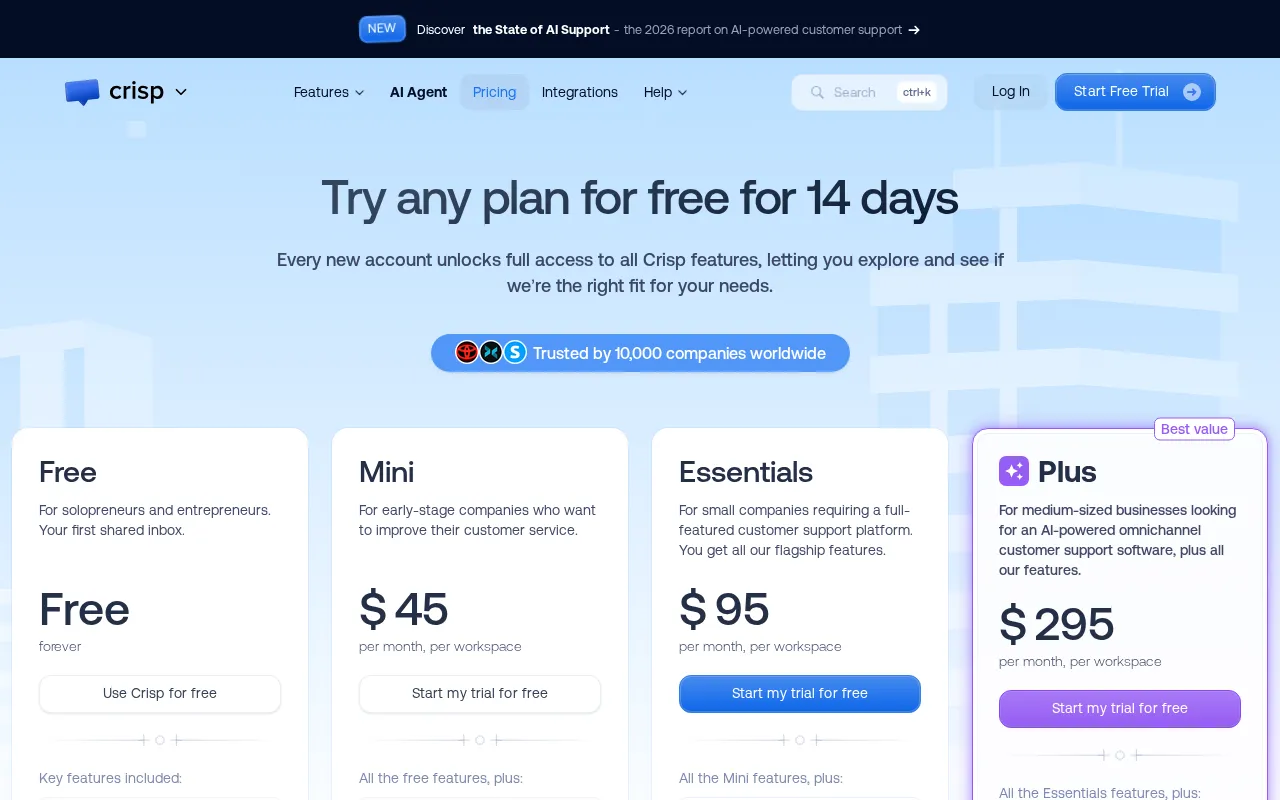
Mini works for up to 4 people who answer chat and email and want Hugo on the easy questions. Pick Essentials once a fifth person joins, or as soon as you need a help center or WhatsApp. Plus only makes sense past 10 people, or when you need Stripe in the inbox.
Can I pay for Crisp yearly?
Yes, but only after subscribing: in “Settings”, open “Billing Settings”, then “Plans & Subscriptions”, and switch the plan from “Monthly” to “Yearly”. The full year is charged at the next renewal and can’t be refunded. Crisp’s pricing page shows monthly prices only and lists no yearly discount, so ask before you commit.
What happens when Hugo runs out of credits?
Hugo stops replying and new conversations go to your team until the credits renew. To keep it answering, turn on “Pay As You Go” in Hugo’s billing settings and set a limit so the token bill can’t run away.
Is there a Crisp free trial?
Yes: 14 days with every feature and no card. Hugo’s training and tests during the trial still spend credits. If you don’t subscribe, the workspace drops to Free, and data from paid features is kept but hidden until you upgrade.
How do I cancel Crisp, and do I get money back?
You cancel by moving the workspace to the Free plan in its billing settings. A monthly plan ends at once and the current month isn’t refunded. A yearly one runs to the end of its term. If you only need a break, Crisp may pause a workspace for one month.
Does Crisp give discounts?
Yes, on Essentials and Plus only: 50% for nonprofits, 30% for young startups that are new to Crisp, and 20% on each additional workspace once a company runs 3 or more paid ones. Crisp reviews each request by hand.