Start free

Deskpro pricing explained

By , founder of Rinhelp · Facts checked

The short answer

Deskpro Cloud charges a monthly price for each agent, its word for a paid user. Team is $39 an agent with at least 5, Professional $59 with at least 10, and Enterprise $99 with at least 25. A team of 5 pays $195 a month on Team, or about $597 on Professional with 1,000 AI replies, because Professional bills for 10 agents. AI drafting, summaries and the AI chatbot start on Professional, and their tokens are billed at the model provider’s rate, with no Deskpro fee per AI reply. Rinhelp costs that same team $49 a month, with 5,000 AI replies included.

See Rinhelp on your own site. Enter your website and Rin builds your help desk from it: a chat widget, a help center and an inbox.

Free. No sign-up to look. Ready in a minute or two.

Is your help center somewhere else?

Rin will read . If your help articles or docs live at another address, like help. or a Notion page, Rin can read those too.

Where is your help center?

Rin reads it along with and turns it into your help center.

Deskpro pricing at a glance

Cheapest plan with AI
Professional
How it bills
Per agent with a minimum, plus AI tokens
Free plan
No, 14-day trial with no card
AI answers cost
OpenAI token costs, about $0.0067 for a simple chatbot answer by Deskpro’s estimate

Deskpro plans

Team

Billed yearly
Not listed: the page gives one per-agent price and no billing choice
Billed monthly
$39 an agent a month, at least 5 agents ($195 a month)
  • Unified inbox for every channel
  • Self-service help center
  • Chatbot with bot flows, but not the AI chatbot
  • Apps and integrations
  • Mobile apps
  • Reporting and analytics
  • Standard support

Watch out for

  • Team lists a “Chatbot” and “Bot Flows”, but the “AI Chatbot” row stays empty until Professional, along with AI drafts, summaries, sentiment analysis and intent detection.
  • Lite agents, for colleagues who collaborate on tickets but never reply to users, aren’t offered on this plan.
  • Deskpro branding stays on your help center, and the Reviews channel and CRM sync are missing.

Professional

Billed yearly
Not listed: the page gives one per-agent price and no billing choice
Billed monthly
$59 an agent a month, at least 10 agents ($590 a month)
  • Everything in Team
  • Up to 50 lite agents, who can see tickets but not reply
  • “Deskpro AI” and the AI-powered chatbot
  • Remove “Powered by Deskpro”
  • Multiple brand support
  • Advanced voice and call controls
  • CRM sync

Watch out for

  • With 10 agents as the minimum, the bill starts at $590 a month even if 4 people do all the answering, and tokens come on top.
  • Lite agents stop at 50, and multi-account sharing of agent licenses between workspaces is capped at 3, where Enterprise lists no limit.
  • Help setting up from Deskpro’s implementation team is a paid add-on, and two-factor sign-in for users, HIPAA hosting and a sandbox wait for Enterprise.

Enterprise

Billed yearly
Not listed: the page gives one per-agent price and no billing choice
Billed monthly
$99 an agent a month, at least 25 agents ($2,475 a month)
  • Everything in Professional
  • Sandbox environment
  • HIPAA-compliant hosting
  • Security reviews and quarterly health checks
  • Account manager
  • Implementation services
  • Enterprise support

Watch out for

  • With 25 agents as the minimum, a department of 12 still pays $2,475 a month, with tokens on top.
  • A global data center, a support SLA and custom contracts are each marked as paid add-ons on top of the agent price.
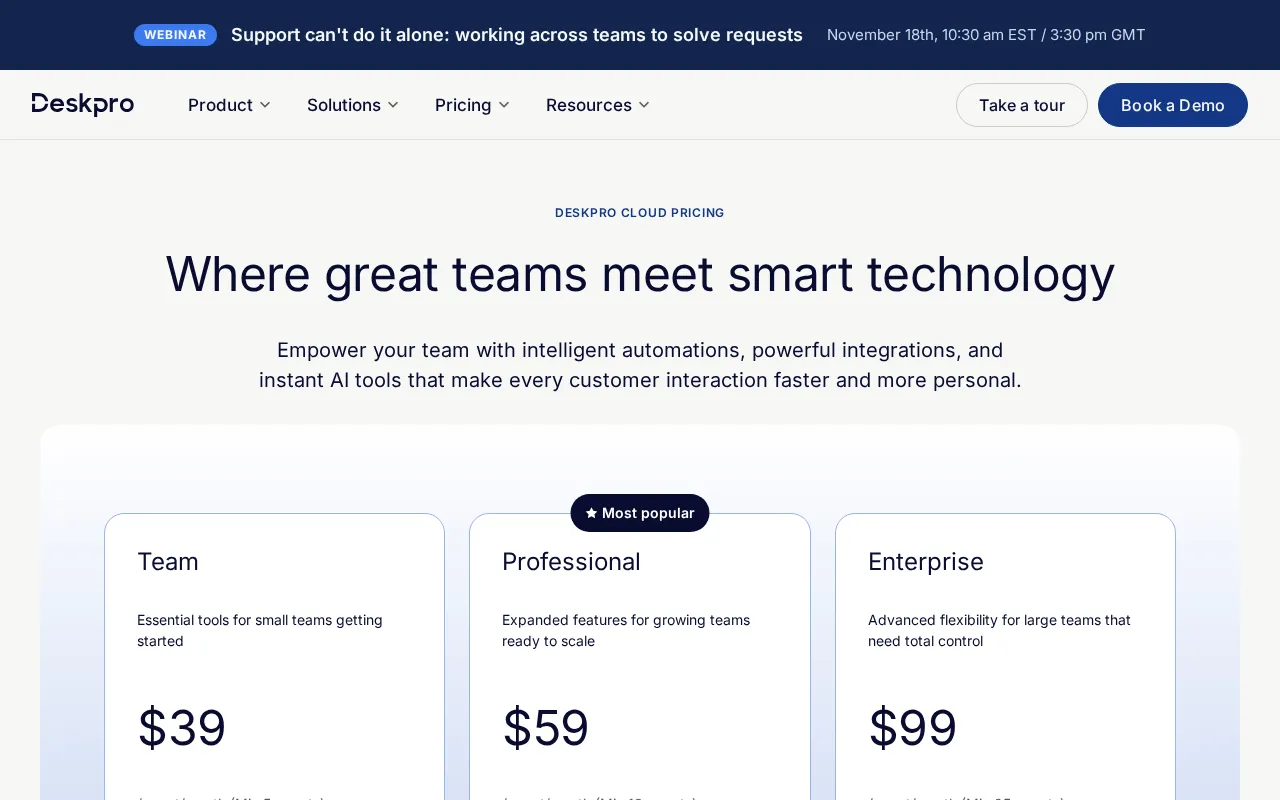
Deskpro pricing page, 11 November 2026
Deskpro’s pricing page, taken

What a team of 3, 5 or 10 pays

List prices in US dollars a month, on the cheapest plan that covers each team, counting each AI reply as one resolved conversation.

TeamMonthly billHow it adds up
3 people, 300 AI replies$592 or more10 Professional agents at $59, the plan’s minimum and the first with the AI chatbot, plus about $2 of AI tokens for 300 AI answers, which Deskpro estimates at $0.0067 each.
5 people, 1,000 AI replies$597 or more10 Professional agents at $59, the plan’s minimum and the first with the AI chatbot, plus about $7 of AI tokens for 1,000 AI answers, which Deskpro estimates at $0.0067 each.
10 people, 3,000 AI replies$610 or more10 Professional agents at $59, the plan’s minimum and the first with the AI chatbot, plus about $20 of AI tokens for 3,000 AI answers, which Deskpro estimates at $0.0067 each.

Costs beyond the headline price

  • AI tokens: Deskpro charges nothing per AI reply, but every draft, summary and chatbot reply uses tokens at the model provider’s rate. Its own estimate for a simple chatbot reply is $0.0067.
  • Your model choice sets that bill. Deskpro groups OpenAI models into budget, standard, advanced and top bands, and the top band costs many times the budget one for the same summary.
  • Connecting a model of your own, hosted or from another provider, has no Deskpro fee; that provider keeps billing you directly.
  • Implementation services are a paid add-on on Team and Professional and come with Enterprise.
  • Deskpro includes 1 full database export a month, and more frequent ones cost extra.
  • Published prices leave out tax, and Deskpro gives no refunds or credits for a partial month, a downgrade or a closed account.
  • Deskpro Private, the edition you host yourself or in a dedicated VPC, has no public price. Its plans come as bundles of 10, 20, 35 or 50 agent licenses, quoted by sales.
  • Volume, non-profit and education discounts are available, but only if you ask.

When Deskpro is worth paying for

Deskpro earns its price in an organization where support, IT, HR and operations each run a queue on one platform. Even the entry plan takes in phone, WhatsApp, SMS, social media, Slack and Microsoft Teams, and its help center carries guides, news and a community forum. Its AI can also run on a model you host, which matters to regulated teams that must keep data inside their own perimeter. A small team that wants AI overpays most, since Professional bills for 10 agents whatever the headcount.

Deskpro vs Rinhelp

TeamDeskproRinhelp
3 people, 300 AI replies$592 or more$49: Pro for the whole workspace, using 300 of its 5,000 AI replies; Free covers your team if you don’t need AI replies.
5 people, 1,000 AI replies$597 or more$49: Pro for the whole workspace, using 1,000 of its 5,000 AI replies.
10 people, 3,000 AI replies$610 or more$49: Pro for the whole workspace, using 3,000 of its 5,000 AI replies.

Deskpro pricing questions

Which Deskpro plan fits a small team?

Team, if nobody needs the “Deskpro AI” features and paying for 5 agents is acceptable. For AI drafts, ticket summaries or the AI chatbot, Professional is the cheapest way in, and it bills for 10 agents from the first month.

Does Deskpro give a discount for paying yearly?

The Cloud page shows one per-agent monthly rate for each plan and no yearly one, and the terms describe charges at the start of each billing period, usually a month. Ask sales whether a longer contract changes the price.

How do I pay for the AI on Deskpro?

Outside the agent price. On Deskpro’s managed connection you load service credits, and with your own OpenAI account or another provider you pay that provider. Either way there is no Deskpro markup, and the AI logs in the admin area list every request.

Can I try Deskpro before paying?

Yes. Deskpro Cloud has a 14-day trial with no card, opened with a work email. Add payment details before it ends, because the terms say a trial that expires without them loses its data. Trials of Deskpro Private go through the sales team.

Can I add or remove Deskpro agents mid-month?

Yes, at any point in the month. Your current bill stays as it is: the next one charges the new count, plus pro-rata charges for any agents you added. Moving to a smaller plan earns no refund or credit for the rest of the month.

What happens if a Deskpro payment fails?

Deskpro suspends the account after 7 days without payment and deletes it after 30, data included. It warns you by email and inside the help desk before that happens.
Sources

We checked every source below on 11 November 2026.

Try Rinhelp next to Deskpro.

Start free with up to 3 teammates and 50 AI replies. Keep Deskpro running until you’re sure.

Start free