Start free

10 best FastBots alternatives (2026)

By , founder of Rinhelp · Facts checked

The short answer

The best FastBots alternatives are Rinhelp, if you want the AI, one inbox for email and live chat, and a help center for a single flat price, and Wonderchat, if you want another chatbot builder with unlimited team seats on every paid plan. On FastBots a person can step into a chat from Business at $89 a month ($75 billed yearly), which holds 5 team members, while Rinhelp is $49 a month for any number of teammates with 5,000 AI replies, and free for 3. Pick Chatbase to escalate tickets into the help desk you already run, Denser for cited answers and phone calls, Dante AI for a voice agent on a phone number, SiteGPT to take over chats from an iPhone, Botsonic for the cheapest paid plan, DocsBot to keep Help Scout or Gorgias, Tidio for an online store, and Crisp for SMS and phone beside WhatsApp in one inbox.

See Rinhelp on your own site. Enter your website and Rin builds your help desk from it: a chat widget, a help center and an inbox.

Free. No sign-up to look. Ready in a minute or two.

Is your help center somewhere else?

Rin will read . If your help articles or docs live at another address, like help. or a Notion page, Rin can read those too.

Where is your help center?

Rin reads it along with and turns it into your help center.

FastBots alternatives at a glance

ToolBest forHow it billsFree plan3 people, 300 AI replies
RinhelpTeams on FastBots Business or Premium whose people answer customers every day, and who want a help center and room for more teammates without a bigger plan.One price per workspaceYes: 3 teammates, 50 AI replies to try Rin$49
WonderchatTeams that want one AI agent on their website and messaging apps, with as many teammates as they like in its inbox, and lead capture from the same chat.By AI reply credits, with unlimited seatsYes: 2 seats, 50 AI replies a month$33
ChatbaseTeams that want a chatbot on their website and messaging apps first, with a choice of models from OpenAI, Anthropic, Gemini and others, and a help desk second.Per plan, in message creditsNot on the pricing page: Basic and Business each start with a 7-day trial$120
DenserTeams that want a chatbot with cited answers on their website, support inbox and phone line, and Shopify stores that want orders, cancellations and returns handled in the chat.Per plan, by queries a monthYes: 1 chatbot, 1 team member, 50 queries a month$96
Dante AISmall businesses that want one AI agent answering website chat and phone calls, and collecting the names and numbers of people worth calling back.Per plan, by credits a month and team seatsYes: 1 seat, 100 credits a month, website chat and 10 minutes of voice$100
SiteGPTSites that want a chatbot answering from their own pages and docs, with a person stepping in now and then.Per plan, by monthly messages and team membersNo, 7-day trial with a credit card$79
BotsonicTeams that want a chatbot answering from their own content on the website and messaging apps, with Zendesk handling the conversations it passes on.Per plan, by messages a month and team membersNot on the pricing page: each plan starts with a 7-day trial, no credit card needed$66
DocsBotTeams happy with their help desk that want an AI answering from their docs on the website, with hard questions passed to that help desk.Per plan, with monthly AI creditsYes: 1 user, 100 AI credits a month$149 or more
TidioShopify and WooCommerce stores that want chat, WhatsApp and Instagram in one inbox and an AI that recommends products.By conversation, plus each Lyro conversationYes: 10 seats, 50 conversations a month$199 or more
CrispSmall teams that start with free website chat and want WhatsApp, Instagram, SMS and phone in the same inbox later.Per workspace, plus AI usageYes: 2 seats, chat only, no AI$66 or more
FastBots, for comparisonSmall businesses that want an AI chatbot answering website chat and email from their own content, with a few teammates stepping in when it can’t.Per plan, by message credits a month, chatbots and team membersNo: a 14-day trial with 1 chatbot and 200 message credits, no card needed$75

1. Rinhelp

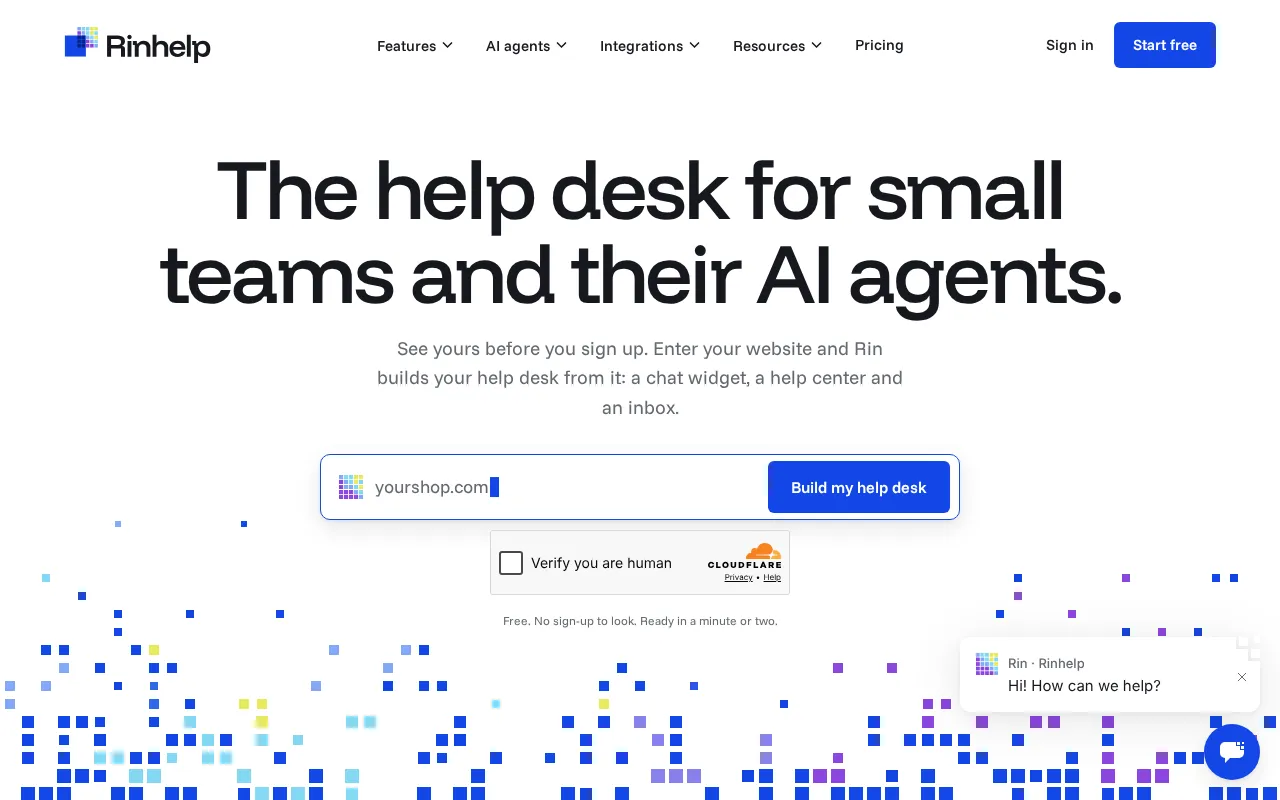
Rinhelp homepage, November 2026

FastBots is a chatbot builder: it learns your website and files, answers on your site and in messaging apps, and from Business lets a teammate claim a chat during the hours you staff it. Rinhelp is a help desk with the AI built in. Email and live chat share one inbox, Rin, our built-in AI, answers first from your help center and website, and anything it can’t solve goes to a teammate with a summary of what the customer needs. Pro is $49 a month with 5,000 AI replies, however many people join.

Best for
Teams on FastBots Business or Premium whose people answer customers every day, and who want a help center and room for more teammates without a bigger plan.
How it bills
Free for up to 3 teammates. Pro is $49 a month for the whole workspace, with 5,000 AI replies from Rin. No per-seat or per-resolution fees.
Free plan
Yes: 3 teammates, 50 AI replies to try Rin
3 people, 300 AI replies
$49 a month: Pro for the whole workspace, using 300 of its 5,000 AI replies; Free covers your team if you don’t need AI replies.

Pros

  • 10 teammates cost $49 a month in Rinhelp with 5,000 AI replies. On FastBots, 10 team members need Premium, $165 a month billed yearly.
  • Any teammate can step into any conversation on every plan, at any hour, with no countdown handing it back to the AI.
  • Rin answers from a help center you publish in Rinhelp, with articles customers can also browse and search on their own.
  • Claude, ChatGPT or your own AI agent can reply, add notes, assign and close over MCP, and a Shopify or Stripe refund it asks for waits for a teammate’s approval.

Cons

  • Email and live chat only: there is no phone, WhatsApp, SMS or social inbox.
  • Shopify and Stripe are the only integrations.
  • No reports, SLA rules or routing rules: Rin hands a conversation to the teammate with the fewest open ones.
  • The free plan has no Rin beyond 50 AI replies to try it.
Start free

2. Wonderchat

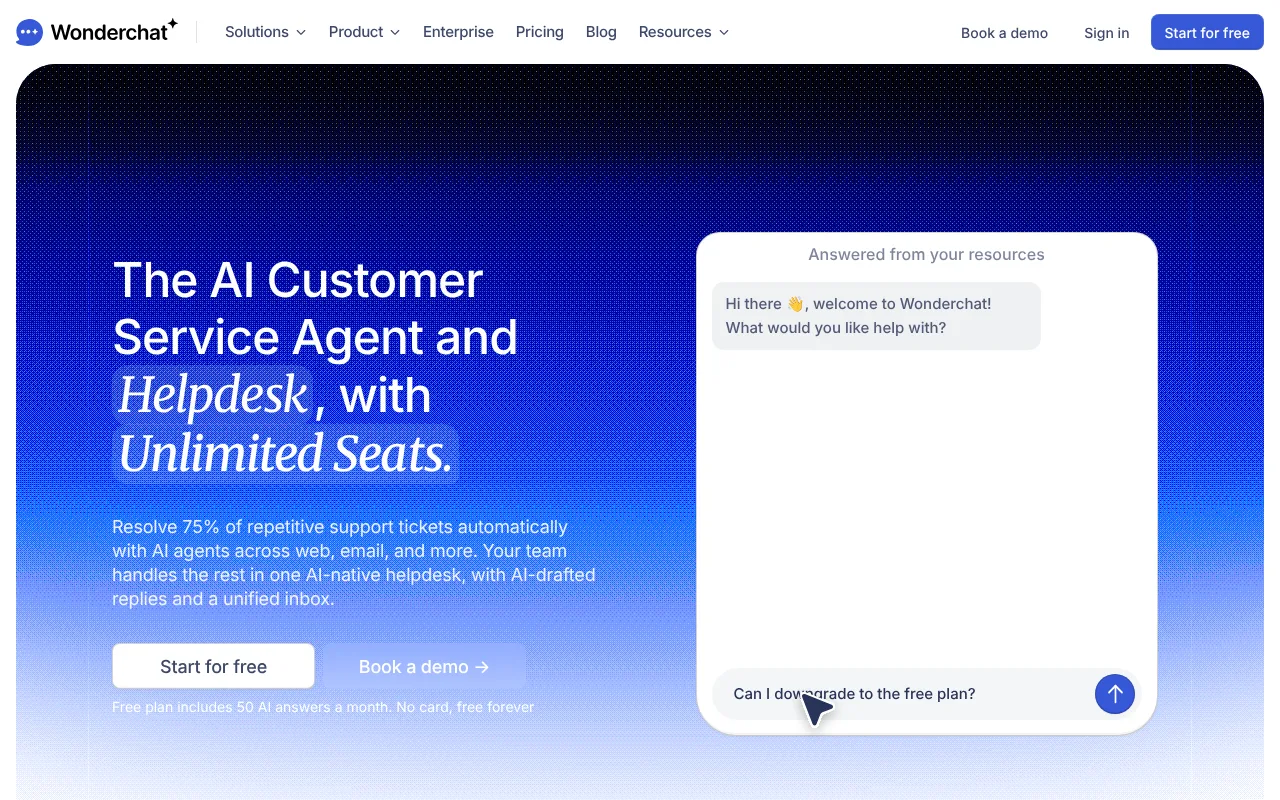
Wonderchat homepage, November 2026

Wonderchat is an AI agent that answers customers from your website pages and files, on a chat widget, email and messaging apps. Every plan includes a help desk with a shared inbox, where your team takes over live chats and tickets the AI hands on.

Best for
Teams that want one AI agent on their website and messaging apps, with as many teammates as they like in its inbox, and lead capture from the same chat.
How it bills
Starter is $32.50, Basic $125 and Scale $417 a month billed yearly ($39, $149 and $499 billed monthly), with 500, 3,000 and 10,000 AI replies a month and unlimited team seats. A reply on a fast model uses 1 credit, and one on a frontier model can use more. Unused credits expire at the end of each billing period, and Enterprise has tailored pricing.
Free plan
Yes: 2 seats, 50 AI replies a month
3 people, 300 AI replies
$33 a month: Starter at $32.50 a month billed yearly ($39 monthly), with unlimited seats and 500 AI replies at 1 credit each on its fast models.

Pros

  • Unlimited team seats on every paid plan, and the help desk and shared inbox come free, with 2 seats on Free.
  • It answers on your website, email, Messenger, Instagram, Discord and Telegram on every plan, and on WhatsApp from Starter.
  • In the inbox, an action that can’t be undone, such as a refund, waits until one of that action’s approvers approves it.
  • You can switch the AI model behind your agent at any time, with fast models on every plan and frontier models from Basic.

Cons

  • When the month’s credits run out, the chatbot pauses and stops responding until you upgrade or buy more.
  • A reply from a frontier model, or with a deeper answer setting, can use more than 1 credit, so the same plan covers fewer replies.
  • The “Powered by Wonderchat” badge comes off only on Enterprise.
  • Its MCP Connector lets the chatbot call other servers’ tools, but Wonderchat isn’t an MCP server your own AI agent can work in.

Already on Wonderchat? See the best Wonderchat alternatives.

3. Chatbase

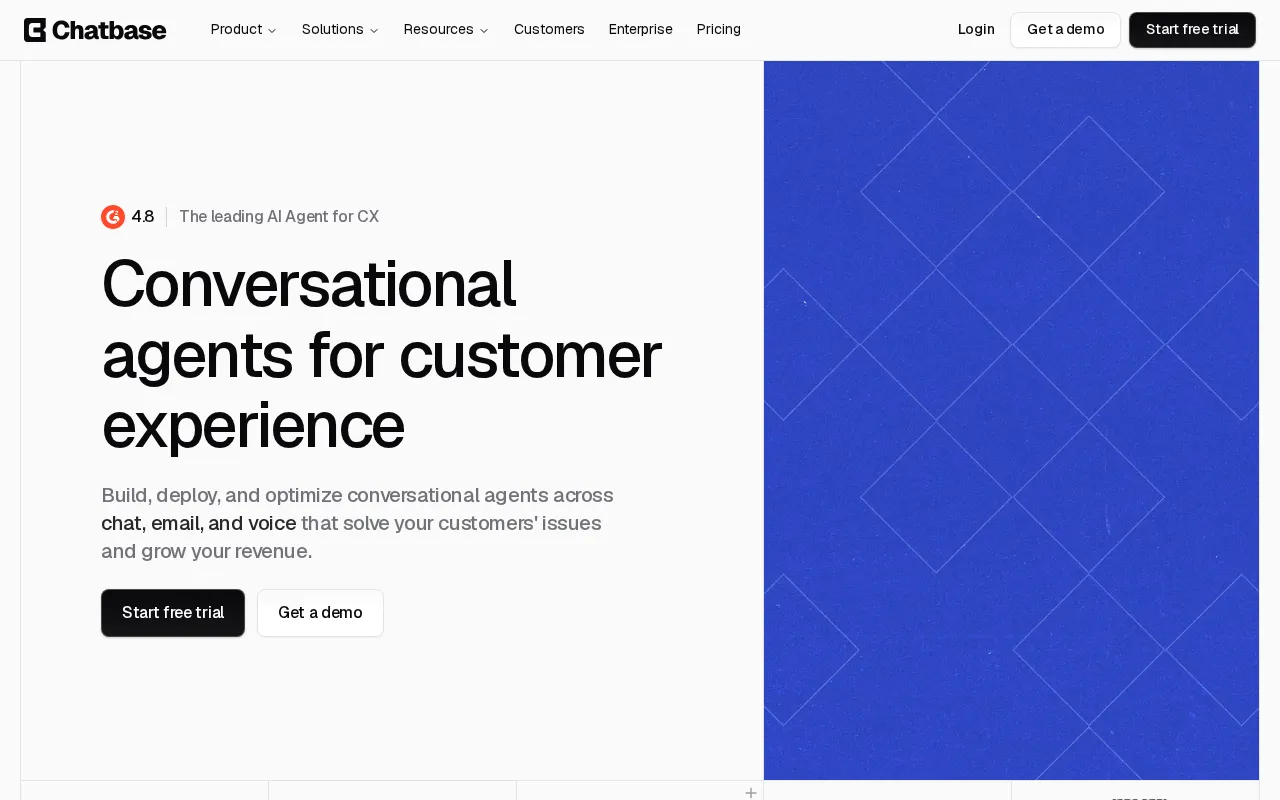
Chatbase homepage, November 2026

Chatbase builds an AI agent trained on your own content, such as your website and documents, and puts it on your site, WhatsApp, Messenger, Instagram, Slack, email and the phone. Its Helpdesk inbox, included from Basic, its cheapest plan, lets your team take over what the AI can’t solve.

Best for
Teams that want a chatbot on their website and messaging apps first, with a choice of models from OpenAI, Anthropic, Gemini and others, and a help desk second.
How it bills
Basic is $150 and Business $500 a month on monthly billing ($120 and $400 a month on annual billing), with 4,000 and 15,000 message credits and 3 and 5 members. The recommended models use 1 to 5 credits a message, unused credits don’t carry over, and auto recharge adds credits at $40 per 1,000.
Free plan
Not on the pricing page: Basic and Business each start with a 7-day trial
3 people, 300 AI replies
$120 a month: Basic at $120 a month on annual billing ($150 monthly), the cheapest plan, with 3 members. Its 4,000 message credits cover 300 replies even at 5 credits each.

Pros

  • Every plan includes advanced models from OpenAI, Anthropic, Gemini, DeepSeek, Mistral and others, so you choose the one each chatbot runs on.
  • The chatbot answers on your website, WhatsApp, Messenger, Instagram, Slack, email and the phone.
  • A teammate can take over a live AI conversation from the Helpdesk, which turns it into a ticket with an AI-written summary.
  • Its AI can escalate a conversation as a ticket to Zendesk, Salesforce, Intercom, Zoho Desk, Freshdesk, HubSpot, Help Scout, Gorgias or Odoo, with the customer’s details.
  • Its official MCP server lets Claude or ChatGPT search conversations, reply to Helpdesk tickets or leave internal notes on them, and assign or close them.

Cons

  • Members are capped by plan: 3 on Basic and 5 on Business.
  • When message credits run out, the chatbots stop responding until the credits reset, unless auto recharge buys more.
  • An action can make the chatbot send 2 or more requests to the model for one reply, and each one uses credits.
  • Removing “Powered By Chatbase” is a $99 a month add-on.

Already on Chatbase? See the best Chatbase alternatives.

4. Denser

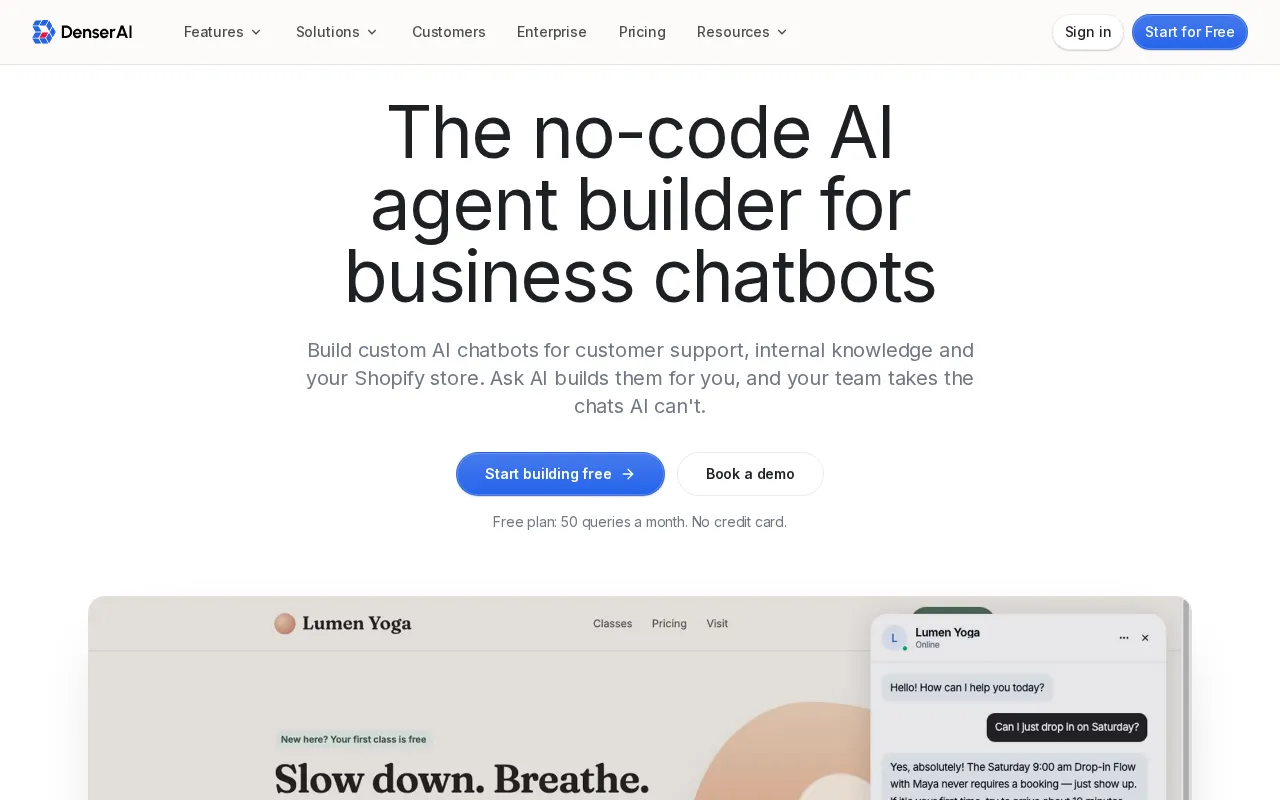
Denser homepage, November 2026

Denser builds AI chatbots that answer from your website, files and written Q&A, and cite the source behind each answer. One chatbot can answer website chat, email, phone calls, WhatsApp, Slack and Telegram, and from Standard a built-in Helpdesk lets your team take over what it can’t solve.

Best for
Teams that want a chatbot with cited answers on their website, support inbox and phone line, and Shopify stores that want orders, cancellations and returns handled in the chat.
How it bills
Starter is $39, Standard $119, Business $399 and Enterprise $899 a month on monthly billing ($32, $96, $320 and $720 a month on yearly billing), with 1,500, 7,500, 15,000 and 50,000 queries and 1, 5, 10 and 50 team members. A question to a chatbot uses 1 query, and extra seats are sold as add-ons at a price the pricing page doesn’t show.
Free plan
Yes: 1 chatbot, 1 team member, 50 queries a month
3 people, 300 AI replies
$96 a month: Standard at $96 a month on yearly billing ($119 monthly), the first plan with Helpdesk, with 5 team members included. 300 replies use 300 of its 7,500 queries.

Pros

  • Every answer cites the page or document it came from, whether that’s your website, a PDF, Word or Excel file, Google Drive or Q&A you wrote.
  • The same chatbot answers website chat, email, WhatsApp, Slack and Telegram, and phone calls through your Twilio or Vapi number.
  • On Shopify it searches your live catalog, fills the native cart and checks orders, and can cancel an unshipped order or start a return once the shopper confirms.
  • The email agent can hold each reply it drafts in Helpdesk until a teammate approves, edits or takes it over.

Cons

  • Starter has 1 team member and no Helpdesk: a person taking over a chat starts on Standard.
  • Each plan includes a set number of team members, 5 on Standard, 10 on Business and 50 on Enterprise, and more are an add-on the pricing page doesn’t price.
  • Actions, cards and playbooks share one allowance per chatbot: 1 on Free, 5 on Starter, 10 on Standard and 20 on Business and Enterprise.
  • Query logs are kept 30 days on Starter and 90 on Standard.

Already on Denser? See the best Denser alternatives.

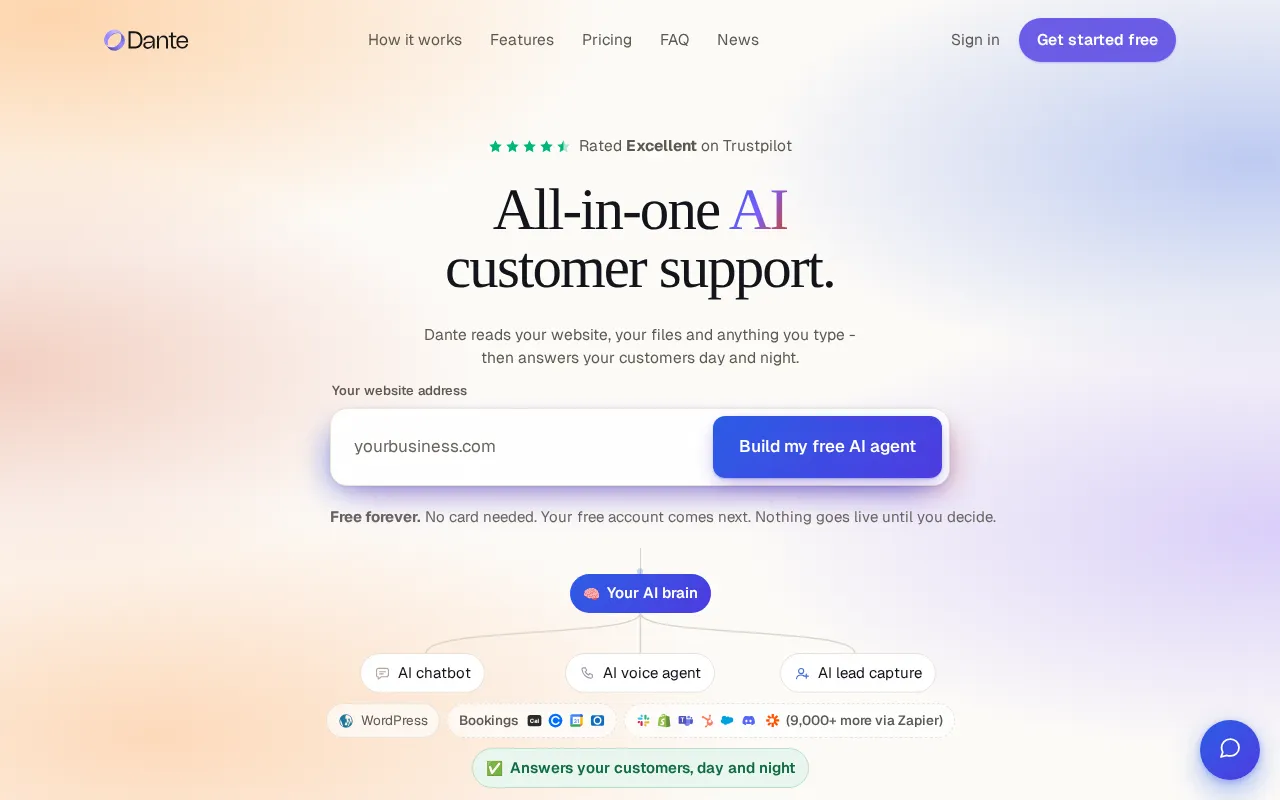
5. Dante AI

Dante AI homepage, November 2026

Dante AI builds an AI agent from your website, files and anything you type, and puts it on your site as a chat widget and on the phone as a voice agent. It captures leads from those conversations, and from its Advanced plan a teammate can take a chat over in its Inbox.

Best for
Small businesses that want one AI agent answering website chat and phone calls, and collecting the names and numbers of people worth calling back.
How it bills
Starter is $40, Advanced $120 and Pro $400 a month, or $33.33, $100 and $333.33 a month billed yearly, with 2,000, 8,000 and 30,000 credits and 2, 3 and 5 team seats. A reply costs 1 credit on light models, about 10 on standard ones and 25 on premium ones, and voice costs 5 credits a minute. Extra team seats are $10 a month each, 1,000 more credits $20, and another AI agent $20. Removing the Dante branding is a $50 add-on on Starter.
Free plan
Yes: 1 seat, 100 credits a month, website chat and 10 minutes of voice
3 people, 300 AI replies
$100 a month: Advanced at $100 a month billed yearly ($120 monthly), the first plan with the Inbox where a person takes over, with 3 team seats. 300 replies on a 1-credit model use 300 of its 8,000 credits.

Pros

  • A voice agent answers out loud from the same knowledge as the chat, with 10 minutes a month on Free, and from Advanced it can take calls on a rented UK phone number.
  • From Advanced it captures a visitor’s name, email and phone with the conversation they came from, and you can export the leads or send them to HubSpot or Salesforce through Zapier.
  • When a reply would cost more credits than you have left, the widget keeps answering on a 1-credit model instead of going quiet.
  • Every paid plan unlocks models from OpenAI, Anthropic and Google, and you can compare two of them on the same question in the Sandbox.

Cons

  • A person can only take a chat over from Advanced at $120 a month, and handover isn’t sold as an add-on on Free or Starter.
  • A reply on a standard model costs about 10 credits and on a premium model 25, so Starter’s 2,000 credits cover about 200 or 80 of them.
  • The Inbox lists only the conversations handed over to your team, and only the teammate who took one can reply to it.
  • Phone numbers are UK only, and calls are understood in English.

Already on Dante AI? See the best Dante AI alternatives.

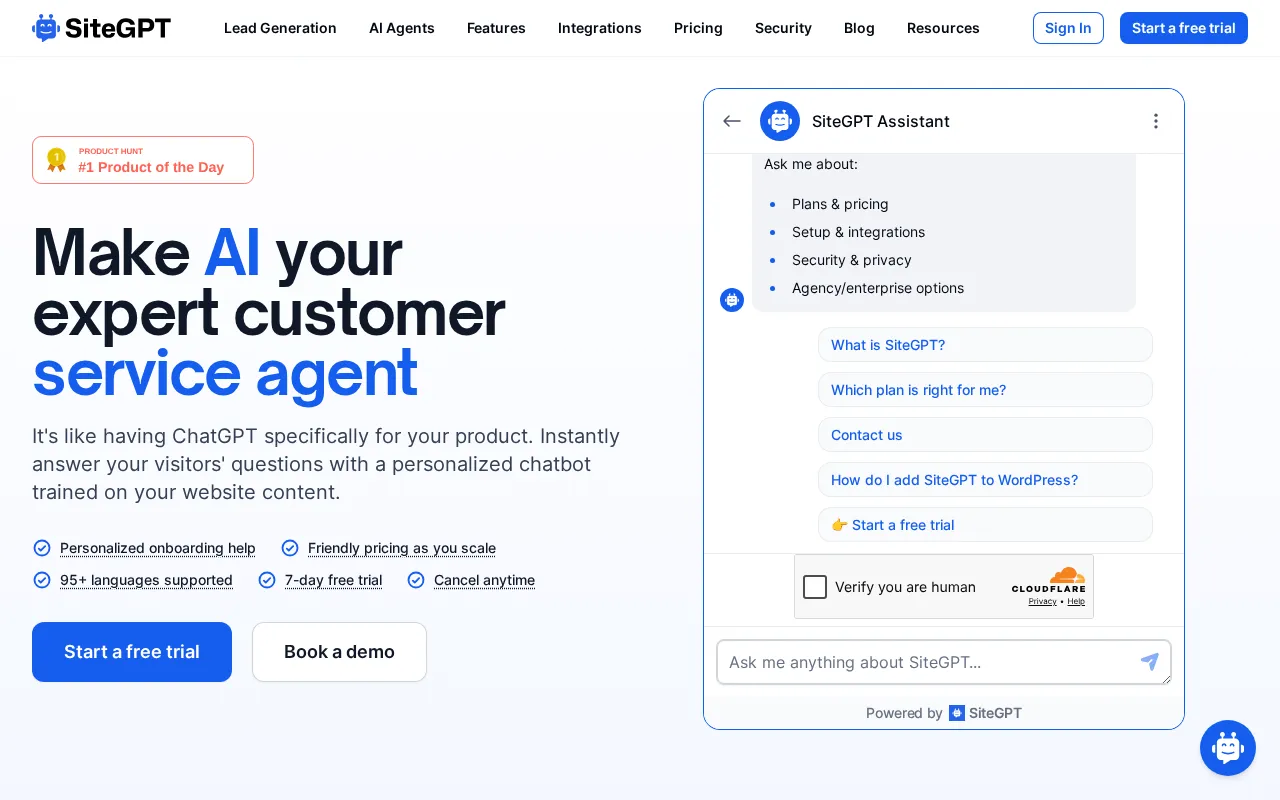
6. SiteGPT

SiteGPT homepage, November 2026

SiteGPT is an AI chatbot trained on your website, files and other content. It answers on your site and in tools like Slack, Crisp and Zendesk, and hands a chat to your team when a customer needs a person.

Best for
Sites that want a chatbot answering from their own pages and docs, with a person stepping in now and then.
How it bills
On annual billing, Starter is $39 a month for 1 member and 4,000 GPT-4.1 mini messages, Growth $79 for 4 team members and 10,000, and Scale $259 for 10 and 40,000 ($59, $129 and $429 monthly). A customer’s question and the chatbot’s answer count as 2 messages, and a GPT-4.1 message uses as much as 10 on GPT-4.1 mini. Email and WhatsApp are add-ons, each $59 a month per inbox or number, or $468 a year.
Free plan
No, 7-day trial with a credit card
3 people, 300 AI replies
$79 a month: Growth at $79 on annual billing ($948 a year, or $129 monthly), with 4 team members. 300 answers use 600 messages, inside its 10,000 on GPT-4.1 mini or 1,000 on GPT-4.1.

Pros

  • Your team can reply, take over and resolve chats from Chat History or the iPhone app, and the chatbot stays quiet while a person has the conversation.
  • One chatbot answers on your website, WhatsApp, Messenger, Slack and email, and replies from the dashboard reach customers on WhatsApp, Messenger and email.
  • On Scale it can be the AI agent inside Zendesk Messaging, handing conversations to your Zendesk agents with full history.
  • Its official MCP server lets Claude or ChatGPT read conversations, reply to customers and change chatbot settings, and you can limit a connection to read-only.

Cons

  • Team members are capped by plan: 1 on Starter, 4 on Growth and 10 on Scale.
  • Both sides of a chat count against your allowance, and new chatbots start on GPT-4.1, whose messages use 10 times as much as GPT-4.1 mini.
  • Email and WhatsApp are paid add-ons per inbox and per number, and Slack, Messenger, MCP and the API need Growth or above.
  • Once a subscription ends, its chatbots stop answering, and their conversations, documents and leads are scheduled for deletion no earlier than 30 days later.

Already on SiteGPT? See the best SiteGPT alternatives.

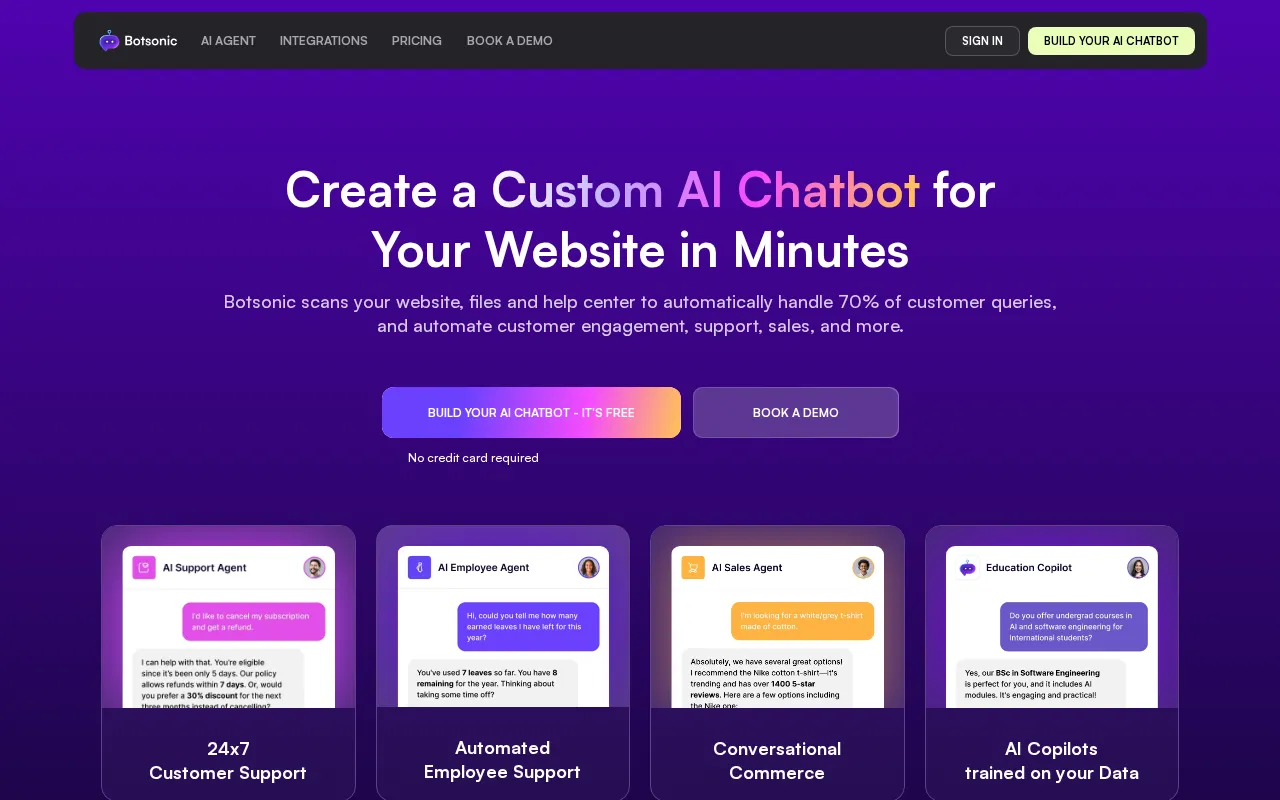
7. Botsonic

Botsonic homepage, November 2026

Botsonic is Writesonic’s no-code AI chatbot builder. It trains a chatbot on your website, files and help content, puts it on your site and messaging apps such as WhatsApp, Messenger and Telegram, and hands a customer who needs a person to Zendesk.

Best for
Teams that want a chatbot answering from their own content on the website and messaging apps, with Zendesk handling the conversations it passes on.
How it bills
On annual billing, Starter is $16, Professional $41 and Advanced $249 a month ($19, $49 and $299 monthly), with 1, 2 and 5 team members and 1,000, 3,000 and 12,000 messages a month, and Enterprise is priced by sales. A GPT-4o mini reply uses 1 message and a GPT-4o reply 2. Extra team members are $25 a month each, and 2,000 to 16,000 more messages cost $25 to $200 a month. Removing the Botsonic badge is $49 a month, API access $49 below Advanced, 3 more chatbots $99, and Zendesk handoff $199.
Free plan
Not on the pricing page: each plan starts with a 7-day trial, no credit card needed
3 people, 300 AI replies
$66 a month: Professional at $41 a month on annual billing ($49 monthly) with 2 team members, plus a third at $25. 300 replies on GPT-4o mini use 300 of its 3,000 messages.

Pros

  • It learns from your website, PDFs, Word and Excel files, and syncs from Google Drive, Confluence and Notion.
  • One chatbot answers on your website, WhatsApp, Messenger and Telegram from Starter, and in Slack and Google Chat from Professional.
  • Actions let the chatbot call your own APIs mid-chat, such as to cancel an order, asking the customer for any detail it still needs first.
  • Botsonic is SOC 2 Type II compliant and GDPR compliant, and only uses AI models that aren’t retrained on your data.

Cons

  • Starter includes 1 team member and Professional 2, and each extra one costs $25 a month.
  • A person takes over only in Zendesk, through a $199 a month add-on or Enterprise, which also hands tickets to Freshdesk and Salesforce.
  • A GPT-4o reply uses 2 messages, so Professional’s 3,000 cover 1,500 of them.
  • Removing “Powered by Botsonic” is a $49 a month add-on, and so is API access below Advanced.

Already on Botsonic? See the best Botsonic alternatives.

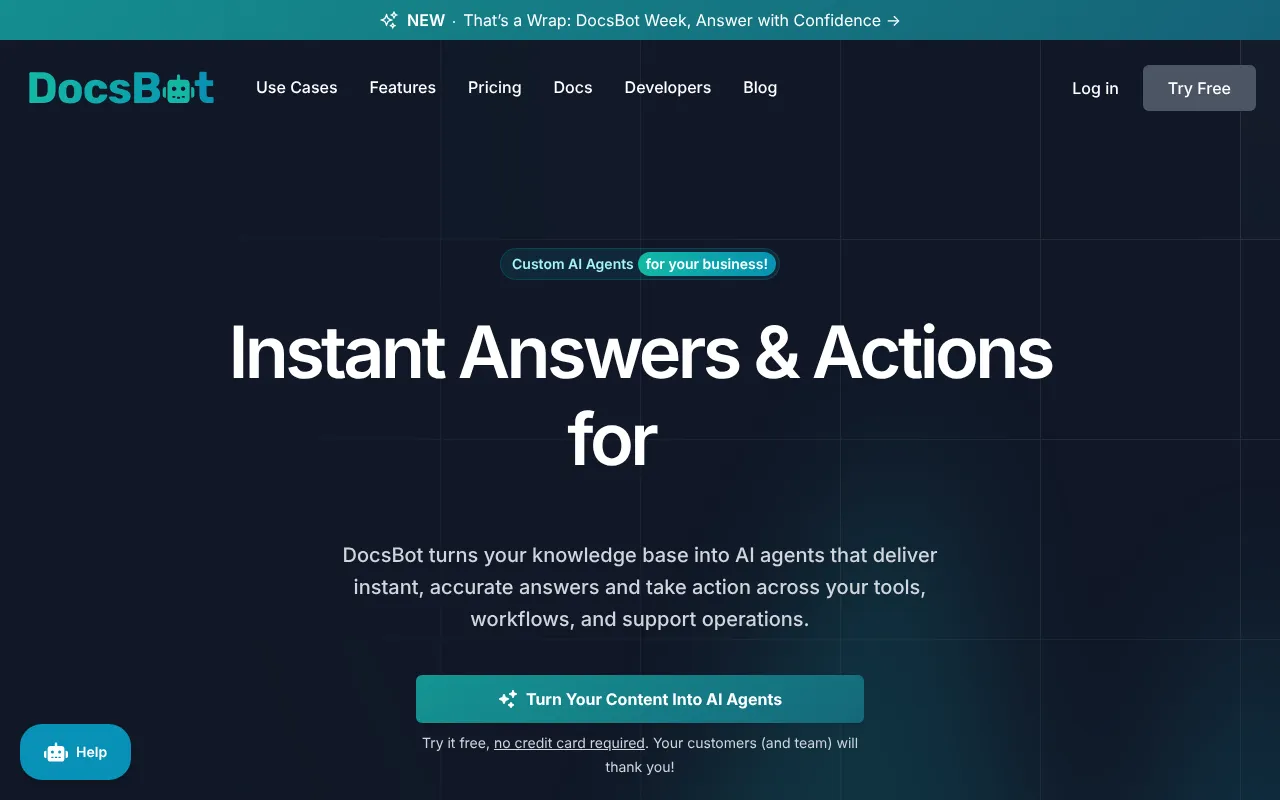
8. DocsBot

DocsBot homepage, November 2026

DocsBot turns your docs, website and other content into AI agents that answer customers in a chat widget, Slack or WhatsApp. When a customer needs a person, it hands them to the help desk widget you already use, such as Help Scout, Zendesk or Intercom.

Best for
Teams happy with their help desk that want an AI answering from their docs on the website, with hard questions passed to that help desk.
How it bills
Personal is $49 a month for 1 team user and 5k AI credits, Standard $149 for 5 team users and 15k, and Business $499 for 10 team users and 60k, with 2 months free on annual plans. A chat message starts at 1 credit and uses more on larger models and AI actions, and each 5k more credits cost $49 a month. Extra team users are $19 each, on Business and Enterprise only.
Free plan
Yes: 1 user, 100 AI credits a month
3 people, 300 AI replies
$149 or more a month: Standard at $149, the first plan with escalation tickets for your help desk, using 300 of its 15k AI credits at 1 credit a message. Your help desk’s seats come on top.

Pros

  • A free plan with 100 AI credits a month, and a 14-day money-back guarantee on paid plans.
  • It learns from dozens of content sources, such as Notion, Confluence, Google Drive, Zendesk Guide and solved Help Scout or Freshdesk tickets.
  • On Standard, its widget hands a customer to your Help Scout, Zendesk, Intercom, Freshdesk, HubSpot, LiveChat or Gorgias widget, with the chat history and an AI-written ticket.
  • It answers in Slack, Messenger, WhatsApp and Telegram from Personal, and adds realtime voice agents and Stripe billing actions on Standard.

Cons

  • DocsBot is not a help desk: the teammate who takes over answers in another tool, billed separately.
  • When the month’s AI credits run out, it stops answering and shows customers an error, unless you turn on auto-add.
  • Standard stops at 5 team users, and extra users are sold only from Business at $499 a month.
  • Removing DocsBot branding from the widget needs Business.

Already on DocsBot? See the best DocsBot alternatives.

9. Tidio

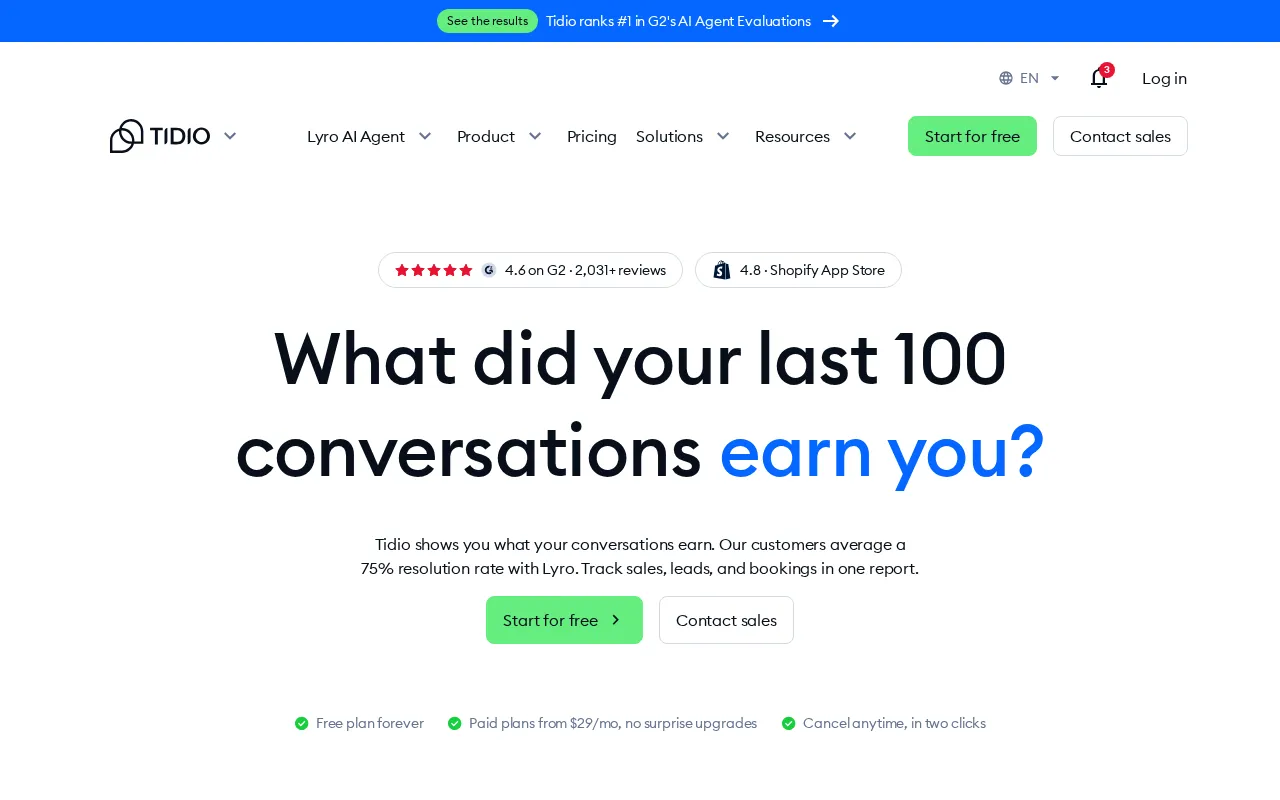
Tidio homepage, November 2026

Tidio is a live chat and help desk tool built for online stores, especially Shopify, with Lyro, an AI agent sold as an add-on, and a help center since 2026.

Best for
Shopify and WooCommerce stores that want chat, WhatsApp and Instagram in one inbox and an AI that recommends products.
How it bills
Plans are priced by the conversations your team answers, with 10 seats: Starter is $24.17 a month on annual billing ($29 monthly) for 100, and Growth runs from $49.17 for 250 ($59 monthly) to $349 monthly for 2,000. Lyro is an add-on from $32.50 a month for 50 conversations to $583.33 for 1,000 on annual billing ($39 for 50, $210 for 300 and $700 for 1,000 monthly), and Plus starts at $300 a month plus usage.
Free plan
Yes: 10 seats, 50 conversations a month
3 people, 300 AI replies
$199 or more a month: Starter at $24.17 on annual billing plus 300 Lyro conversations at $175. Starter covers 100 conversations your team answers, and more needs Growth.

Pros

  • Up to 10 seats on Free, Starter and Growth, so the bill doesn’t grow as you add teammates.
  • WhatsApp, Instagram, Messenger and email on every plan, including Free.
  • Lyro recommends products and adds them to the cart on Shopify and WooCommerce.
  • Lyro’s actions can check orders, cancel or change them and refund, and Lyro can call your own MCP servers.

Cons

  • Lyro is a separate add-on billed per conversation, about $0.58 to $0.78 each by tier and billing, and over 1,000 a month is priced by sales.
  • The API and Stripe integration need Plus, from $300 a month.
  • Its official MCP server only reads analytics data, loaded once a day, so your own AI can’t reply or close.
  • No refunds for time left after you cancel.

Already on Tidio? See the best Tidio alternatives.

10. Crisp

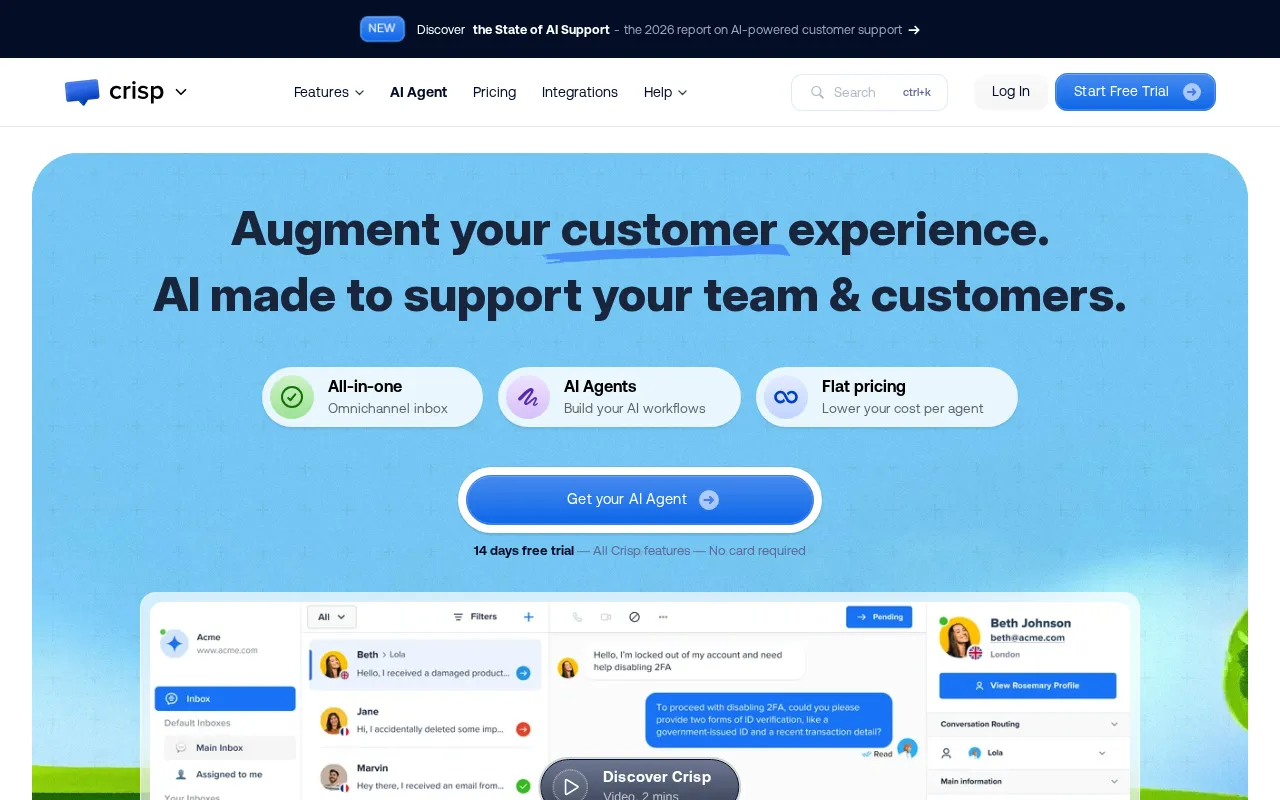
Crisp homepage, November 2026

Crisp is a French customer support platform built around a website chat widget, with a shared inbox, many messaging channels and Hugo, its AI agent.

Best for
Small teams that start with free website chat and want WhatsApp, Instagram, SMS and phone in the same inbox later.
How it bills
Per workspace a month: Mini is $45 with 4 seats, Essentials $95 with 10 and Plus $295 with 20, including $5, $25 and $75 of AI credits (about 90, 450 and 1,350 Hugo conversations). Extra seats are $10 each, sold on Plus only, and Hugo past the credits runs on Pay-As-You-Go at about $0.05 to $0.10 a conversation.
Free plan
Yes: 2 seats, chat only, no AI
3 people, 300 AI replies
$66 or more a month: Mini at $45 for 4 seats with about 90 Hugo conversations in its credits, plus about 210 more at about $0.10 each.

Pros

  • One price per workspace, with 10 seats on Essentials for $95 a month.
  • WhatsApp, Instagram, Messenger, SMS, Telegram and phone sit in the same inbox from Essentials.
  • Its official MCP server can read, reply, add notes, resolve and write help center articles.
  • Hugo can look up orders and refund through Shopify, WooCommerce, PrestaShop and Stripe, after a one-time code checks the customer.

Cons

  • The free plan has no email inbox and no AI, and Mini has no help center, WhatsApp or MCP server.
  • Hugo stops answering when the month’s credits run out unless you turn on Pay-As-You-Go, whose rates aren’t published.
  • Stripe data in the inbox comes only with Plus at $295 a month.
  • Crisp’s terms refund no fees, monthly or yearly.

Already on Crisp? See the best Crisp alternatives.

Why people leave FastBots

Live chat starts on Business

On Essential, at $39 a month, nobody on your team can take a chat from the AI. Live Chat comes with Business at $89, and only during the days and hours you mark as available; outside them visitors aren’t offered a person. FastBots: how to set up live chat, .

Unclaimed chats go back to the AI

After a visitor asks for a person and fills in a contact form, a teammate has 3 minutes by default, and 10 at most, to claim the chat. If nobody does, the session ends and the AI takes it back. FastBots: how to set up live chat, .

WhatsApp can’t reach a person

The chatbot can’t yet hand a WhatsApp chat to your team or alert the “Live Chat” page. Once connected, the number works only through FastBots, not the WhatsApp app, and its old chat history is lost unless you export it first. FastBots: connect WhatsApp, .

No internal notes or SLAs

FastBots’ own email page says that, next to a traditional help desk, it has no internal notes between agents, no library of macros and no SLA tracking. FastBots email integration, .

Refunds only if it fails

FastBots gives no refunds unless the product doesn’t work as advertised and support couldn’t fix it, asked for within 30 days. Cancelling keeps access to the end of the period with nothing pro-rated back. FastBots refund policy, .

Features compared

A check means the vendor’s own pages say a plan includes it. FastBots is in the last row for comparison.

ToolEmailLive chatWhatsAppVoiceHelp centerAI that answers customersShopifyStripeFree planSignup without a sales call
Rinhelp
Wonderchat
Chatbase
Denser
Dante AI
SiteGPT
Botsonic
DocsBot
Tidio
Crisp
FastBots

What your AI can do in each tool

Connect Claude, ChatGPT or your own AI agent through the vendor’s official MCP server, and this is what it can do of 11 everyday actions: search and read conversations, reply to a customer, add an internal note, assign, close or reopen, search the help center, write or update an article, publish an article, create a saved reply, look up an order, refund or cancel.

ToolThrough official MCPWhat it can doMoney moves wait for a teammate
Rinhelp11 of 11Search and read conversations, reply to a customer, add an internal note, assign, close or reopen, search the help center, write or update an article, publish an article, create a saved reply, look up an order, refund or cancelYes, a teammate approves first
Wonderchat0 of 11No official MCP server, or nothing from this listNo refunds or cancellations through MCP
Chatbase5 of 11Search and read conversations, reply to a customer, add an internal note, assign, close or reopenNo refunds or cancellations through MCP
Denser1 of 11Search and read conversationsNo refunds or cancellations through MCP
Dante AI0 of 11No official MCP server, or nothing from this listNo refunds or cancellations through MCP
SiteGPT3 of 11Search and read conversations, reply to a customer, close or reopenNo refunds or cancellations through MCP
Botsonic0 of 11No official MCP server, or nothing from this listNo refunds or cancellations through MCP
DocsBot1 of 11Search and read conversationsNo refunds or cancellations through MCP
Tidio1 of 11Search and read conversationsNo refunds or cancellations through MCP
Crisp6 of 11Search and read conversations, reply to a customer, add an internal note, close or reopen, search the help center, write or update an articleNo refunds or cancellations through MCP
FastBots1 of 11Search and read conversationsNo refunds or cancellations through MCP

More on each MCP server, and connectors from other companies, which don’t count:

  • Wonderchat: Wonderchat’s pricing table lists “API and MCP access” from Basic. Its MCP Connector, on Scale and above, only connects out to other MCP servers, and its docs say it doesn’t expose your chatbot as one. We found no official MCP server for Wonderchat.
  • Chatbase: The MCP server needs a paid plan, Basic or higher, and returns an error on a trial that signed up with a personal email address. Its tools cover chatbots, their sources, conversations and Helpdesk tickets, and a ticket message can be a reply the customer receives or an internal note only your team sees.
  • Denser: Denser’s MCP server works on every plan, including Free. Its tools read chatbots, sources, analytics, leads and conversations, and one asks a chatbot a question, using a query. None replies to a customer, adds a note or changes a ticket.
  • Dante AI: We found no official MCP server for Dante AI. Its REST API, on Pro only, lists agents and conversations and can change an agent’s prompt and welcome message, but reading a conversation’s messages needs a dashboard sign-in, and no key can reply to a customer.
  • SiteGPT: The MCP server needs Growth or above. Resolving or reopening a conversation goes through its execute_write tool, which can make any API v2 call.
  • Botsonic: We found no official MCP server for Botsonic. Its REST API, a $49 a month add-on below Advanced, reads conversations, ends chats and manages bots, sources, FAQs and starter questions, but none of its endpoints sends a reply from your team.
  • DocsBot: DocsBot’s MCP servers manage its agents and sources, and search an agent’s docs and past questions. None replies to a customer, since the conversation your team takes over lives in your help desk.
  • Tidio: The MCP server reads the Analytics API’s chat and ticket messages. Replying to and solving tickets goes through the OpenAPI on Plus and Premium, not MCP.
  • Crisp: The MCP server comes with Essentials and Plus. Hugo can call your own MCP servers too, and its refund tools ask the customer for a one-time code, not a teammate.
  • FastBots: Its official MCP server is read-only: it reads chatbots, their training and Q&A, and redacted conversation history, and can’t reply to a customer or change anything. A separate connection for Claude can create and train new chatbots, and the Chat API only sends a message to a chatbot and returns its answer.

Pricing at three sizes

What each tool costs a month in US dollars, with AI answering, and how each total adds up. Each AI reply counts as one resolved conversation.

Tool3 people, 300 AI replies5 people, 1,000 AI replies10 people, 3,000 AI replies
Rinhelp$49Pro for the whole workspace, using 300 of its 5,000 AI replies; Free covers your team if you don’t need AI replies.$49Pro for the whole workspace, using 1,000 of its 5,000 AI replies.$49Pro for the whole workspace, using 3,000 of its 5,000 AI replies.
Wonderchat$33Starter at $32.50 a month billed yearly ($39 monthly), with unlimited seats and 500 AI replies at 1 credit each on its fast models.$125Basic at $125 a month billed yearly ($149 monthly), with unlimited seats and 3,000 AI replies, at 1 credit each on a fast model.$125 or moreBasic at $125 billed yearly, whose 3,000 credits cover 3,000 AI replies only on a fast model. A frontier model can use more credits per reply, which means extra credits or Scale at $417.
Chatbase$120Basic at $120 a month on annual billing ($150 monthly), the cheapest plan, with 3 members. Its 4,000 message credits cover 300 replies even at 5 credits each.$400Business at $400 a month on annual billing ($500 monthly), the first plan with 5 members. Its 15,000 credits cover 1,000 replies on any recommended model.$400 or moreBusiness at $400 a month on annual billing, whose 15,000 credits cover 3,000 replies at up to 5 credits each. It includes 5 members, and the other 5 need extra member slots, whose price the pricing page doesn’t show.
Denser$96Standard at $96 a month on yearly billing ($119 monthly), the first plan with Helpdesk, with 5 team members included. 300 replies use 300 of its 7,500 queries.$96Standard at $96 a month on yearly billing, whose 5 team members fit the team. 1,000 replies use 1,000 of its 7,500 queries.$320Business at $320 a month on yearly billing ($399 monthly), the first plan that includes 10 team members, since the pricing page doesn’t price Standard’s extra seats. 3,000 replies use 3,000 of its 15,000 queries.
Dante AI$100Advanced at $100 a month billed yearly ($120 monthly), the first plan with the Inbox where a person takes over, with 3 team seats. 300 replies on a 1-credit model use 300 of its 8,000 credits.$120Advanced at $100 billed yearly plus 2 extra team seats at $10 each, which costs less than Pro at $333.33 with 5. 1,000 replies on a 1-credit model use 1,000 of its 8,000 credits.$170Advanced at $100 billed yearly plus 7 extra team seats at $10 each. Its 8,000 credits cover 3,000 replies on a 1-credit model, but not on a standard model at about 10 credits a reply.
SiteGPT$79Growth at $79 on annual billing ($948 a year, or $129 monthly), with 4 team members. 300 answers use 600 messages, inside its 10,000 on GPT-4.1 mini or 1,000 on GPT-4.1.$259Scale at $259 on annual billing ($3,108 a year, or $429 monthly), since Growth stops at 4 team members. 1,000 answers use 2,000 messages, inside its 4,000 on GPT-4.1.$259 or moreScale at $259 on annual billing, with 10 team members. 3,000 answers use 6,000 messages, inside its 40,000 on GPT-4.1 mini but past its 4,000 on GPT-4.1, where packs of extra messages come on top.
Botsonic$66Professional at $41 a month on annual billing ($49 monthly) with 2 team members, plus a third at $25. 300 replies on GPT-4o mini use 300 of its 3,000 messages.$116Professional at $41 on annual billing plus 3 extra team members at $25 each, which costs less than Advanced at $249 with 5. 1,000 replies on GPT-4o mini use 1,000 of its 3,000 messages.$241Professional at $41 on annual billing plus 8 extra team members at $25 each. Its 3,000 messages cover 3,000 replies on GPT-4o mini, or 1,500 on GPT-4o, where 2,000 more messages are $25.
DocsBot$149 or moreStandard at $149, the first plan with escalation tickets for your help desk, using 300 of its 15k AI credits at 1 credit a message. Your help desk’s seats come on top.$149 or moreStandard at $149, with 1,000 messages inside its 15k AI credits on a 1x model. The help desk your team answers handoffs in bills on top.$149 or moreStandard at $149, with 3,000 messages inside its 15k AI credits, since your teammates answer in your help desk rather than DocsBot. That help desk is billed separately.
Tidio$199 or moreStarter at $24.17 on annual billing plus 300 Lyro conversations at $175. Starter covers 100 conversations your team answers, and more needs Growth.$608 or moreStarter at $24.17 plus 1,000 Lyro conversations at $583.33, both on annual billing, before any move to Growth for your team’s own conversations.$300 or morePlus from $300 a month plus usage, since Lyro above 1,000 conversations is priced only by sales.
Crisp$66 or moreMini at $45 for 4 seats with about 90 Hugo conversations in its credits, plus about 210 more at about $0.10 each.$150 or moreEssentials at $95 for 10 seats with about 450 Hugo conversations, plus about 550 more at about $0.10 each.$350 or moreEssentials at $95 for 10 seats, plus about 2,550 Hugo conversations at about $0.10 each, since Crisp bills AI by tokens.
FastBots$75Business at $75 a month billed yearly ($89 monthly), the first plan where a teammate takes over a chat, with 5 team members. 300 replies on the default 1-credit model use 300 of its 5,000 message credits.$75Business at $75 a month billed yearly, with exactly 5 team members. 1,000 replies on the default model use 1,000 of its 5,000 credits, or all of them on a 5-credit model.$165Premium at $165 a month billed yearly ($199 monthly), the first plan with 10 team members. 3,000 replies on the default model use 3,000 of its 10,000 credits, but on a 5-credit model they would need 15,000.

The best FastBots alternative for each kind of team

Best FastBots alternative for a team past 5: Rinhelp

FastBots Business stops at 5 team members and its add-ons don’t sell more, so a sixth person means Premium at $165 a month billed yearly. Rinhelp Pro is $49 a month with 5,000 AI replies, for 6 teammates or 60.

Best FastBots alternative for seats that never run out: Wonderchat

No paid Wonderchat plan caps team seats, and each one has a help desk and shared inbox where your people take over, starting with Starter at $32.50 a month billed yearly for 500 AI replies. A refund or another step that can’t be undone needs one of its approvers first.

Best FastBots alternative for tickets in your help desk: Chatbase

Chatbase’s AI can escalate a conversation as a ticket to Zendesk, Intercom, Freshdesk, HubSpot, Help Scout or Gorgias with the customer’s details, and its MCP server lets Claude or ChatGPT reply to Helpdesk tickets and close them.

Best FastBots alternative for cited answers and phone calls: Denser

Denser answers can name the page or document they came from, and the chatbot can pick up phone calls through your Twilio or Vapi number. On Shopify it can cancel an unshipped order or start a return once the shopper confirms, and Standard holds 5 team members for $96 a month on yearly billing.

Best FastBots alternative for a voice agent on the phone: Dante AI

FastBots speaks only inside the chat widget on your website. Dante AI’s voice agent can also answer calls on a rented UK number from Advanced, $100 a month billed yearly with 3 team seats, and it sends the leads it captures to HubSpot or Salesforce through Zapier.

Best FastBots alternative for taking over from an iPhone: SiteGPT

With SiteGPT’s iPhone app a teammate can answer a chat and take it from the chatbot, which stays quiet until they’re done. Growth is $79 a month on annual billing for 4 team members, and its MCP server can reply to customers.

Best FastBots alternative for the cheapest paid plan: Botsonic

Botsonic Starter costs $16 a month on annual billing for 1,000 messages, answering on your website, WhatsApp, Messenger and Telegram. Its actions call your own APIs mid-chat, though a customer who needs a person is passed to Zendesk through a $199 a month add-on.

Best FastBots alternative for keeping Help Scout or Gorgias: DocsBot

If your team already works in Help Scout, Zendesk, Intercom or Gorgias, DocsBot passes the customer into that tool’s widget with an AI-written ticket. That starts on Standard, $149 a month for 5 team users, and paid plans come with a 14-day money-back guarantee.

Best FastBots alternative for online stores: Tidio

Tidio gives up to 10 seats even on Free, with WhatsApp, Instagram, Messenger and email in one inbox. Lyro, its AI agent, comes with Starter at $33 a month billed annually for 50 AI and human conversations, and adds products to the cart and can check, change, cancel or refund orders.

Best FastBots alternative for SMS and phone in one inbox: Crisp

Crisp Essentials puts WhatsApp, Instagram, Messenger, SMS, Telegram and phone in one inbox for $95 a month with 10 seats. Hugo, its AI agent, can look up and refund Shopify or Stripe orders once a one-time code checks the customer.

When FastBots is still the right choice

Stay with FastBots ifSwitch if
Most of your answering is done by the AI, and a teammate steps in only now and then.Your team answers customers all day, and the AI is there to take the first reply.
Customers write on WhatsApp, Instagram, Messenger or Telegram, and the AI alone can answer them there.Your teammates answer together and need to leave each other notes on a conversation.
Visitors should be able to talk to the chatbot out loud in your website widget.Typed answers are all your customers need.
Your bot should act in other apps through Zapier MCP, such as booking a slot or creating a CRM contact.You want the AI to answer and hand off, with orders and payments shown beside each conversation.
You build chatbots for clients and resell them under your own brand and domain.You support your own customers for one business.
You want to choose between OpenAI, Anthropic and Google models for each chatbot.You’d rather not tune a model and watch its credit cost per reply.

Moving from FastBots to Rinhelp

Your chat history stays in FastBots. There’s nothing to move: add your docs as a knowledge source and Rin answers from them on day one.

See how Rin answers

Questions about FastBots and switching

How much does FastBots cost?

Essential is $39, Business $89, Premium $199 and Reseller $399 a month, or $33, $75, $165 and $333 a month on a yearly plan, which FastBots labels a 17% saving. They come with 2,000, 5,000, 10,000 and 30,000 message credits and 3, 5, 10 and 30 team members, and Enterprise is priced by sales.

Is there a free FastBots plan?

Not for new accounts. They get a 14-day trial with 1 chatbot and 200 message credits, and no card is needed. When it ends you keep the dashboard and past chats, but the chatbot goes offline until you pay. Only accounts that were on the old Free plan go back to it.

What is a FastBots message credit?

Each AI reply uses credits by model: 1 on the default GPT-6 Luna and other light models, 5 on models such as GPT-4.1 and Gemini 3.1 Pro, and 10 on Claude Sonnet and GPT-6 Sol. Voice in the widget uses 50 credits a minute, and 1,000 more credits are $10 a month.

Can a person take over a FastBots chat?

On Business and above. When the chatbot has given its fallback answer as many times as you set, it offers a person during your available hours, the visitor fills in a form, and the chat waits on the “Live Chat” page until a teammate claims it. It doesn’t work on WhatsApp yet.

Can FastBots answer email?

Yes, from Business. You point support@ or sales@ at FastBots, and it drafts each reply from your content, sending it straight away or holding it for a teammate to approve. Rinhelp’s inbox takes email and live chat on every plan, with Rin answering both.

Can I connect Claude or ChatGPT to FastBots?

Yes. Its MCP server only reads bots, training, Q&A and redacted conversation history, so it can’t reply to a customer. A separate connector for Claude can create and train new chatbots, and change only the ones it created. In Rinhelp, your AI agent can reply, add notes, assign, close and write help center articles.

Where does my chat history go if I leave FastBots?

You can export chats from “Chat History” as PDF files, one or several at a time. Rinhelp doesn’t import them: it starts fresh and learns from your website and help center.

What is the cheapest FastBots alternative?

Wonderchat, Denser, Dante AI and DocsBot each have a free plan with a small monthly allowance of AI replies. The cheapest paid plan is Botsonic Starter, $16 a month on annual billing for a chatbot on your website and WhatsApp, with no person taking over in the same tool. For an inbox your team works in, Rinhelp is free for 3 teammates with 50 AI replies to try Rin, and $49 a month with 5,000 AI replies.

How we picked and checked

We listed the tools a team leaving FastBots weighs most often, and only tools we keep checked facts for. Rinhelp is first because it is our product and we wrote this page, so check each figure against the vendor’s own page before you decide.

Costs are list prices in US dollars for three team sizes, on the cheapest plan that covers them, counting each AI reply as one resolved conversation. Features count only when the vendor’s own pages say a plan includes them. The AI column counts actions an official MCP server from the vendor can take, out of 11, and leaves third-party connectors out.

We checked every source below on 20 November 2026 unless it shows another date.

Why people leave FastBots

Rinhelp

Checked

Wonderchat

Checked

Chatbase

Checked

Denser

Checked

Dante AI

Checked

SiteGPT

Checked

Botsonic

Checked

DocsBot

Checked

Tidio

Checked

Crisp

Checked

FastBots

Try Rinhelp next to FastBots.

Start free with up to 3 teammates and 50 AI replies. Keep FastBots running until you’re sure.

Start free