Start free

LiveChat vs tawk.to (2026): pricing, AI and features

By , founder of Rinhelp, which appears in this comparison · Facts checked

The short answer

LiveChat suits a team that sells in website chat, wants to watch shoppers browse before greeting them, and is happy to pay for every person who answers. tawk.to suits a team that wants chat, tickets and a knowledge base for any number of teammates and websites without a bill, and pays only for add-ons such as white label, or AI Assist once its AI goes past 100 free credits a month. For 1,000 AI replies a month, counting each as one resolved conversation, a team of 5 spends about $1,085 on LiveChat Essential, where 20 packs of 50 resolutions make up most of the total, against $82.50 on tawk.to, whose seats are free and whose AI Assist Business plan is $990 a year.

See Rinhelp on your own site. Enter your website and Rin builds your help desk from it: a chat widget, a help center and an inbox.

Free. No sign-up to look. Ready in a minute or two.

Is your help center somewhere else?

Rin will read . If your help articles or docs live at another address, like help. or a Notion page, Rin can read those too.

Where is your help center?

Rin reads it along with and turns it into your help center.

LiveChat vs tawk.to at a glance

ToolBest forHow it billsFree plan3 people, 300 AI replies
LiveChatOnline stores and sales teams that live in website chat and want to see who is browsing before they reach out.Per user, plus each AI resolutionNo, 14-day trial without a card$336
tawk.toSmall businesses that want website chat for any number of agents at no cost, and don’t mind the tawk.to badge.Free, plus add-ons per websiteYes: unlimited agents and chats, about 33 AI replies a month$24
RinhelpSmall teams that want AI on every conversation at one flat price, and want their own AI agents working in the inbox.One price per workspaceYes: 3 teammates, 50 AI replies to try Rin$49

Key differences

LiveChat bills per person, tawk.to bills nobody for seats

Every teammate who answers on LiveChat needs a seat: Essential is $19 a user a month on annual billing or $25 month to month, and Growth $79 or $99. tawk.to charges nothing for teammates, chats or the websites you put the widget on, and earns from add-ons instead. Hiring a sixth person costs a LiveChat team another seat and a tawk.to team nothing.

One resolution per chat on LiveChat, 3 credits per reply on tawk.to

LiveChat counts an AI resolution once per chat, however many questions the customer asks in it. Essential includes 10 a month and Growth 200, and further packs of 50 cost $49.50. tawk.to’s AI Assist spends 3 credits on every reply on its default Auto model, so a chat where the AI answers four times uses 12. tawk.to’s free tier gives 100 credits a month, its Growth tier $29 a month for 1,000 and Business $99 for 5,000, and extra credits are $30 per 1,000. Once the credits are gone, tawk.to’s AI stops joining new conversations.

LiveChat watches visitors, tawk.to works their orders

LiveChat lists who is on your site and which pages they are reading, so a teammate can open the chat first: 50 tracked visitors and 3 proactive campaigns on Essential, 400 and 30 on Growth. tawk.to’s Shopify app takes the after-sale side, with a tab where teammates check an order, refund it or cancel it during the chat. For company names behind anonymous visitors, tawk.to sells Data Enrichment from $59 a month per website.

Removing tawk.to’s badge costs money on each site

The “Powered by tawk.to” badge stays on until you buy white label, at $39 a month or $348 a year, and like every tawk.to add-on it is paid again for each website. LiveChat keeps its white-label widget for Enterprise, which is quote only.

Text’s MCP reads, tawk.to has none

Text, Inc., the company behind LiveChat, runs an official MCP server that lets an AI agent search and read chats and tickets, but not reply, close or assign. Its REST API can send messages and close chats. tawk.to has no MCP server of its own, and its REST API opens only after tawk.to approves your request, though its own AI agents can call MCP servers you connect.

Pricing at three sizes

What each tool costs a month in US dollars, with AI answering, and how each total adds up. Each AI reply counts as one resolved conversation.

Tool3 people, 300 AI replies5 people, 1,000 AI replies10 people, 3,000 AI replies
LiveChat$3363 Growth users at $79 on annual billing, which include 200 AI resolutions, plus 2 packs of 50 at $49.50.$1,0855 Essential users at $19 on annual billing, which include 10 AI resolutions, plus 20 packs of 50 at $49.50.$3,16010 Essential users at $19 on annual billing, which include 10 AI resolutions, plus 60 packs of 50 at $49.50.
tawk.to$24AI Assist Growth at $290 a year, whose 1,000 monthly credits cover 300 replies at 3 credits each on the Auto model. Seats are free.$83AI Assist Business at $990 a year, whose 5,000 monthly credits cover 1,000 replies at 3 credits each.$203AI Assist Business at $990 a year plus 4,000 extra credits at $30 per 1,000, for 3,000 replies at 3 credits each.
Rinhelp$49Pro for the whole workspace, using 300 of its 5,000 AI replies; Free covers your team if you don’t need AI replies.$49Pro for the whole workspace, using 1,000 of its 5,000 AI replies.$49Pro for the whole workspace, using 3,000 of its 5,000 AI replies.

Features compared

A check means the vendor’s own pages say a plan includes it.

ToolEmailLive chatWhatsAppVoiceHelp centerAI that answers customersShopifyStripeFree planSignup without a sales call
LiveChat
tawk.to
Rinhelp

What your AI can do in each tool

Connect Claude, ChatGPT or your own AI agent through the vendor’s official MCP server, and this is what it can do of 11 everyday actions: search and read conversations, reply to a customer, add an internal note, assign, close or reopen, search the help center, write or update an article, publish an article, create a saved reply, look up an order, refund or cancel.

ToolThrough official MCPWhat it can doMoney moves wait for a teammate
LiveChat1 of 11Search and read conversationsNo refunds or cancellations through MCP
tawk.to0 of 11No official MCP server, or nothing from this listNo refunds or cancellations through MCP
Rinhelp11 of 11Search and read conversations, reply to a customer, add an internal note, assign, close or reopen, search the help center, write or update an article, publish an article, create a saved reply, look up an order, refund or cancelYes, a teammate approves first

More on each MCP server, and connectors from other companies, which don’t count:

  • LiveChat: Text’s REST API can send messages and close chats, but its MCP only reads. In ChatGPT, only its search and fetch tools work, and deep research must be on.
  • tawk.to: tawk.to has no MCP server of its own. Its AI agents can call MCP servers you connect, and third parties sell MCP wrappers around its API.

LiveChat

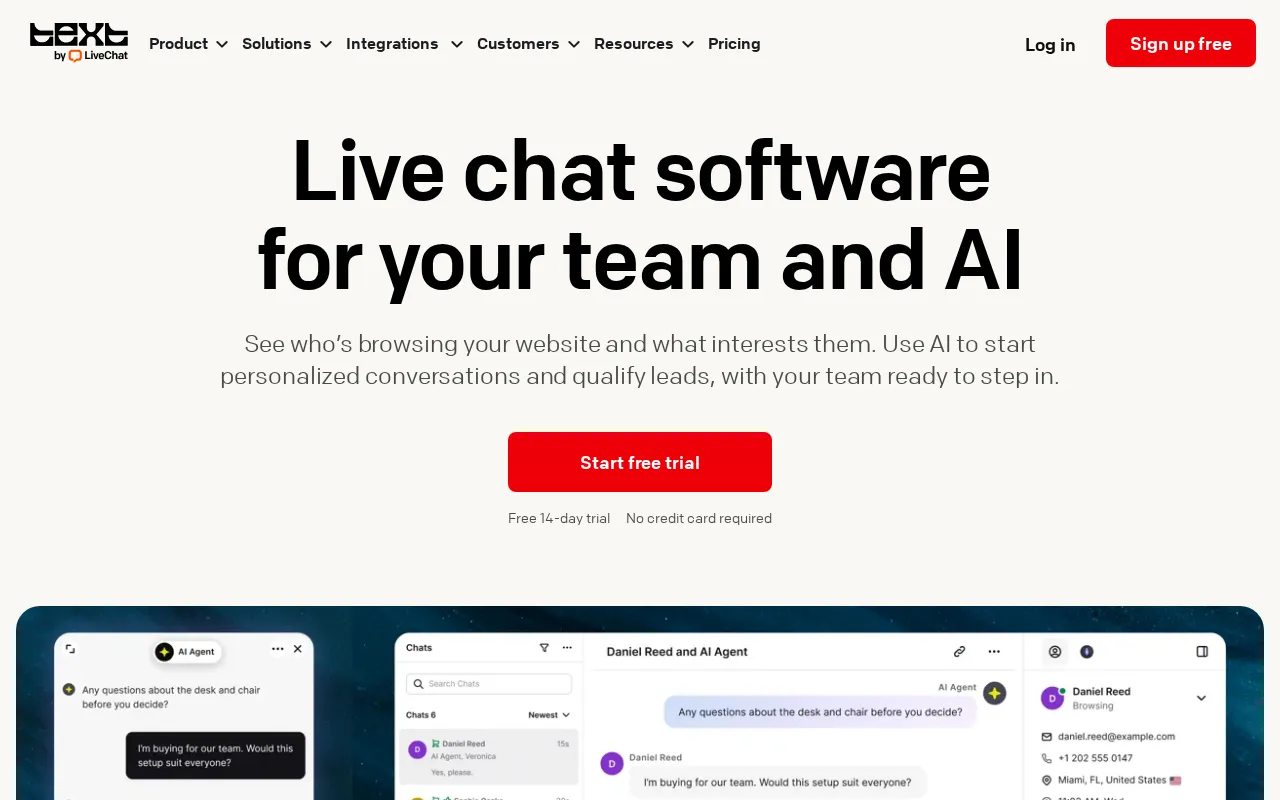
LiveChat homepage, November 2026

LiveChat is website chat software from Text, Inc., built to turn chats into sales. New LiveChat accounts now start on Text plans, which add tickets and an AI agent that answers chats, while existing customers keep their old plan.

Best for
Online stores and sales teams that live in website chat and want to see who is browsing before they reach out.
How it bills
Per user: Essential is $19 and Growth $79 a user a month on annual billing ($25 and $99 monthly). Essential includes 10 AI resolutions a month and Growth 200, then packs of 50 at $49.50.
Free plan
No, 14-day trial without a card
3 people, 300 AI replies
$336 a month: 3 Growth users at $79 on annual billing, which include 200 AI resolutions, plus 2 packs of 50 at $49.50.

Pros

  • Real-time visitor tracking shows who is on your site and which pages they browse, so you can start the chat yourself.
  • WhatsApp comes on every paid plan, next to Messenger and SMS through Twilio.
  • Apps for Windows, Mac, iOS and Android, and a marketplace with Shopify, WooCommerce, BigCommerce and WordPress.
  • An AI resolution is counted once per chat, however many questions the customer asks in it.

Cons

  • Every person who answers needs a seat, and AI resolutions beyond the plan’s allowance cost $0.99 each.
  • Essential keeps conversation and file history for 60 days only.
  • Text’s official MCP can read chats and tickets but can’t reply, close or assign.
  • LiveChat doesn’t refund payments it has already processed.

Already on LiveChat? See the best LiveChat alternatives.
tawk.to

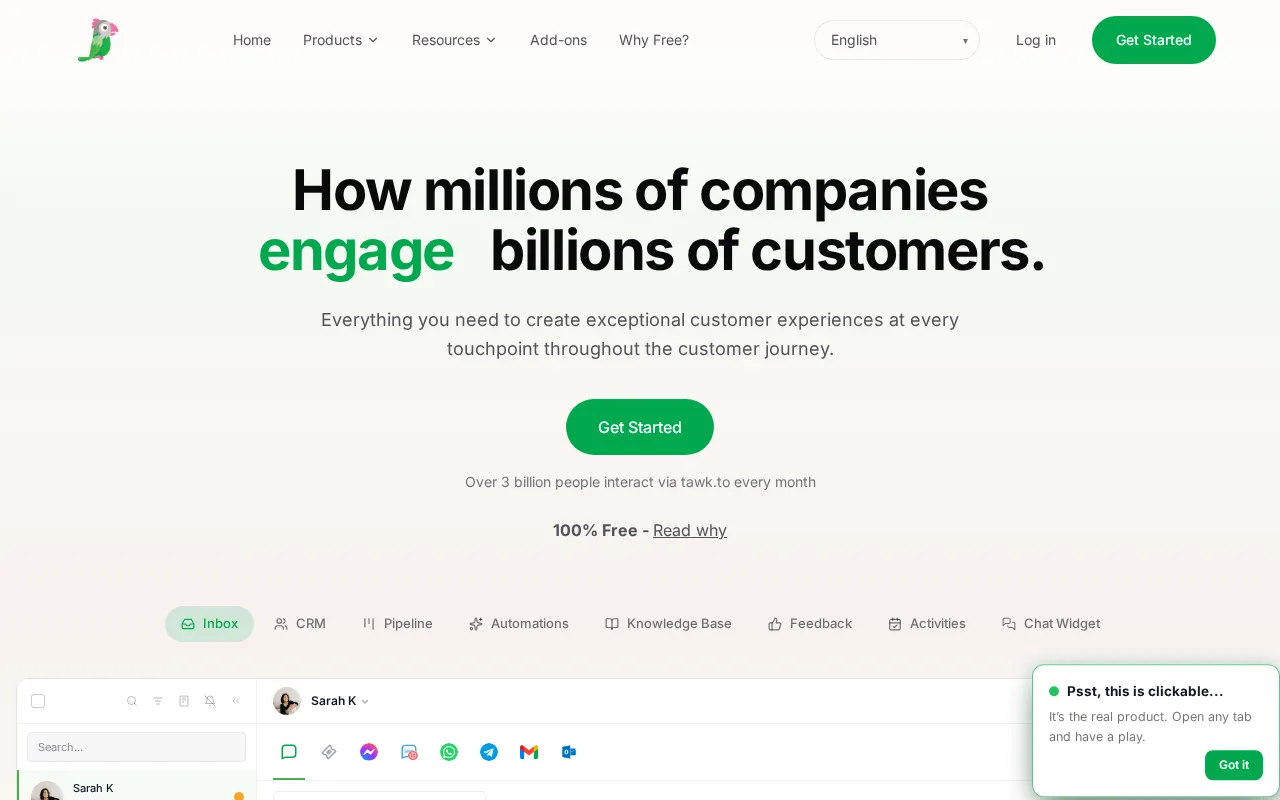
tawk.to homepage, November 2026

tawk.to is free live chat and ticketing software for websites, with a hosted knowledge base. It makes its money from paid add-ons, such as AI Assist, white label and hired chat agents, billed per website.

Best for
Small businesses that want website chat for any number of agents at no cost, and don’t mind the tawk.to badge.
How it bills
Chat, ticketing and the knowledge base are free for any number of agents. AI Assist is free for 100 credits a month, then $29, $99 or $399 a month ($290, $990 or $3,990 a year) for 1,000, 5,000 or 20,000 credits, and a reply on the default Auto model uses 3.
Free plan
Yes: unlimited agents and chats, about 33 AI replies a month
3 people, 300 AI replies
$24 a month: AI Assist Growth at $290 a year, whose 1,000 monthly credits cover 300 replies at 3 credits each on the Auto model. Seats are free.

Pros

  • Free for any number of agents, chats and websites, with ticketing and a hosted knowledge base.
  • WhatsApp, Messenger, SMS through Twilio and email share one inbox, and the AI answers on chat, WhatsApp, SMS and Messenger.
  • Its Shopify app adds a tab where agents check orders, refund and cancel during a chat.
  • Hired chat agents start at $1 an hour if you want someone else to answer.

Cons

  • AI Assist charges per reply, and once credits run out it stops joining new conversations.
  • The “Powered by tawk.to” badge stays unless you pay for white label, $39 a month or $348 a year for each website.
  • No official MCP server, and REST API access must be requested and approved first.
  • Add-ons are billed per website, so each extra site pays again.

Already on tawk.to? See the best tawk.to alternatives.

Pick LiveChat if

  • Your chats close sales, and you want to see a shopper’s open pages and invite them into a chat.
  • Your AI’s chats run past about 11 replies each, and you want each chat billed once however many replies it takes.
  • A supervisor should watch live chats and step in, which Growth includes along with shared canned responses.
  • Teammates want desktop apps for Windows and Mac next to the phone apps, and your shop runs on WooCommerce, BigCommerce or WordPress.
  • Your developers want to start on a chat API today rather than wait for a vendor to approve access.

Pick tawk.to if

  • Lots of people, or several websites, need chat and tickets, and nobody wants to pay per seat.
  • Your AI only needs to send about 33 replies a month, which the free 100 credits cover.
  • Customers should find answers in a hosted knowledge base that costs you nothing.
  • You’d rather pay someone to answer: tawk.to hires out people to take your chats from $1 an hour.
  • Teammates should cancel or refund a Shopify order from a tab beside the chat.

When to consider Rinhelp instead

Consider Rinhelp if 2 to 10 people answer email and live chat and want Rin, our built-in AI, to answer first at one price that doesn’t grow with seats. Pro is $49 a month for the whole workspace and includes 5,000 AI replies a month, and Free covers up to 3 teammates with 50 AI replies to try Rin. If your team answers almost every chat by hand, tawk.to costs nothing, so stay there. Claude or your own AI agent can reply, assign and close over MCP in Rinhelp, where Text’s server only reads and tawk.to has none, and anything that moves money or can’t be undone waits for a teammate to approve it. Rinhelp doesn’t fit if chat is where you sell and you rely on visitor tracking, or if customers reach you on WhatsApp, SMS, Messenger or the phone: LiveChat covers visitor tracking, WhatsApp, Messenger and SMS, and tawk.to brings those channels into one inbox and lists voice agents from $49 a month plus usage.

Start free

Moving to Rinhelp

From LiveChat

LiveChat archived chats, their staff-only events and canned responses move through Text’s APIs or Text’s read-only MCP. Count your API calls first: Essential includes 10,000 a month and Growth 20,000, and Essential keeps only 60 days of history. See the full move from LiveChat.

From tawk.to

tawk.to chats, tickets and knowledge base articles can move through its REST API, but that API isn’t self-serve. Ask tawk.to for access before you pick a switch date, since credentials only arrive once it approves you. See the full move from tawk.to.

Questions about LiveChat vs tawk.to

Is tawk.to really free?

The help desk is: chat, tickets and the knowledge base cost nothing for any number of teammates. You pay for extras, each bought per website: AI Assist beyond about 33 replies a month, white label to remove the badge, and Data Enrichment. LiveChat has no free plan, only a 14-day trial that needs no card.

How does each one count a long AI chat?

LiveChat bills one resolution per chat, $0.99 past your allowance, however many replies the AI sends in it. tawk.to spends 3 credits on every reply, so a chat of five AI replies uses 15. On extra credits at $30 per 1,000, 11 replies cost about what one LiveChat resolution does, so tawk.to stays cheaper unless a chat runs longer than that. Business’s 5,000 monthly credits, at $990 a year, cover about 1,666 replies.

What happens when the AI allowance runs out?

tawk.to’s AI stops joining new conversations until you buy more credits, at $30 per 1,000. On LiveChat, resolutions past your plan’s 10 or 200 are sold in packs of 50 for $49.50, which works out to $0.99 each.

Can Claude or ChatGPT answer customers in LiveChat or tawk.to?

Not through an official MCP server. Text’s reads LiveChat chats and tickets only, and from ChatGPT just its search and fetch tools work, with deep research on. tawk.to offers no server, so you would use a third-party wrapper around its API once tawk.to grants access.

How we checked

We compared LiveChat and tawk.to using the facts we keep on each, checked against the vendor’s own pages on the date shown beside its sources. Rinhelp is in every table because it is our product and we wrote this page, so check each figure against the vendor’s own page before you decide.

Costs are list prices in US dollars for three team sizes, on the cheapest plan that covers them, counting each AI reply as one resolved conversation. Features count only when the vendor’s own pages say a plan includes them. The AI column counts actions an official MCP server from the vendor can take, out of 11, and leaves third-party connectors out.

Try Rinhelp next to LiveChat or tawk.to.

Start free with up to 3 teammates and 50 AI replies.

Start free